Imagine you could get forty of your ideal clients into a room. Not a feed — a room. They show up on purpose, they stay for half an hour, and they ask you questions with their names attached. That is a LinkedIn Live, and you can run one this week.
Almost nobody does. Most professionals on LinkedIn have never streamed once, and a lot of them don't know the feature exists. Meanwhile LinkedIn is quietly building its whole events and advertising business on top of it. This is the plain-language breakdown: what LinkedIn Live is, who can use it, how to actually go live in 2026, what people use it for, and the rule that changed on June 22 that trips people up.
If You Only Have 60 Seconds
- LinkedIn Live lets you broadcast live video to your profile, your company page, or an event. It has been around since 2019 — it's just badly known.
- Not everyone can. LinkedIn's official criteria are just four: 150+ followers or connections, an account 30+ days old, good standing, and not being based in mainland China.
- You can't stream from LinkedIn itself. You need an outside tool — StreamYard, Restream, Socialive, Switcher Studio, or OBS.
- New since June 22, 2026: you can no longer hit "go live" instantly. Every stream must be attached to a scheduled Event — though you can schedule it minutes before you start.
- The recording lives on. Every stream is public, saved automatically, and stays in the feed as "Previously recorded live."
In this article
- What LinkedIn Live actually is
- Can you even use it? The access rules
- Why you can't stream from LinkedIn
- The new rule: everything must be scheduled
- Why LinkedIn did this
- What people actually do with it
- What happens after you stop
- How to not waste the effort
- Who should skip this
- Your action items this week
- Frequently asked questions
What LinkedIn Live Actually Is
LinkedIn Live is exactly what it sounds like: live video, broadcast to LinkedIn, from you or your company (LinkedIn's own overview). You can stream to three places.
- Your profile — your personal audience sees it.
- Your company page — the brand hosts it.
- An Event — people register in advance and enter through the event page.
A few things are worth knowing up front. Every stream is public. There is no private LinkedIn Live — anyone can watch. Every stream is recorded automatically. When you stop broadcasting, the video doesn't vanish; it lands in the feed labeled "Previously recorded live" and keeps collecting views like a normal video post. This matters more than people realize: the live is the event, the recording is the asset.
LinkedIn recommends turning on two-factor authentication before you broadcast. An account that can go live to thousands of people is a target worth protecting.
Can You Even Use It? The Access Rules
This is where a lot of people bounce off, because LinkedIn Live isn't switched on for everyone. It's a privilege you qualify for, and LinkedIn publishes the criteria openly. There are exactly four.
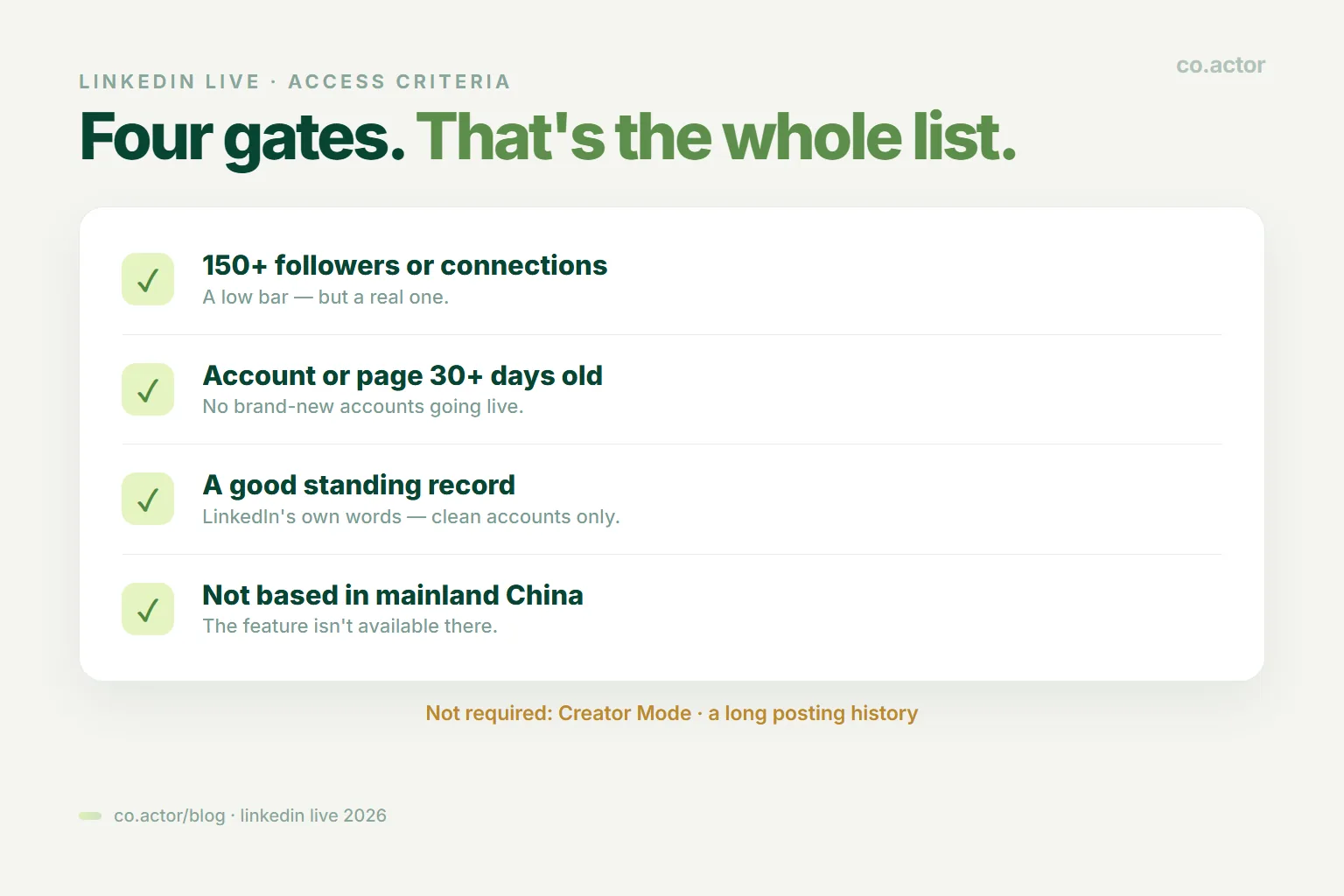
- More than 150 followers and/or connections. A low bar, but a real one.
- An account or page created at least 30 days ago.
- Good standing. In LinkedIn's words, only members and pages "that have a good standing record will be considered for Live Video access."
- Not in mainland China. The feature isn't available there.
That's the entire official list. You'll find blog posts inventing extra hurdles — "you need Creator Mode," "you need a long history of original posts." Those are not LinkedIn's criteria. Don't let them talk you out of checking.
There are two ways to check if you have access. Start creating a LinkedIn Event and look for "LinkedIn Live" in the Event Format dropdown. Or connect a third-party broadcast tool, which tells you straight away. If you don't meet the criteria, the Live option simply won't appear in either place.
Key Takeaway: LinkedIn states plainly that you can't edit the event format once the event is created. Choose LinkedIn Live when you create it, or you'll be starting the whole event over.
The Part That Surprises Everyone: You Can't Stream From LinkedIn
Here's the thing that stops most first-timers cold. There is no "record" button. LinkedIn says it plainly: you can't stream directly from LinkedIn. You need an outside tool to actually push the video.
That sounds like a hassle. It's genuinely a five-minute setup, and you have two routes.
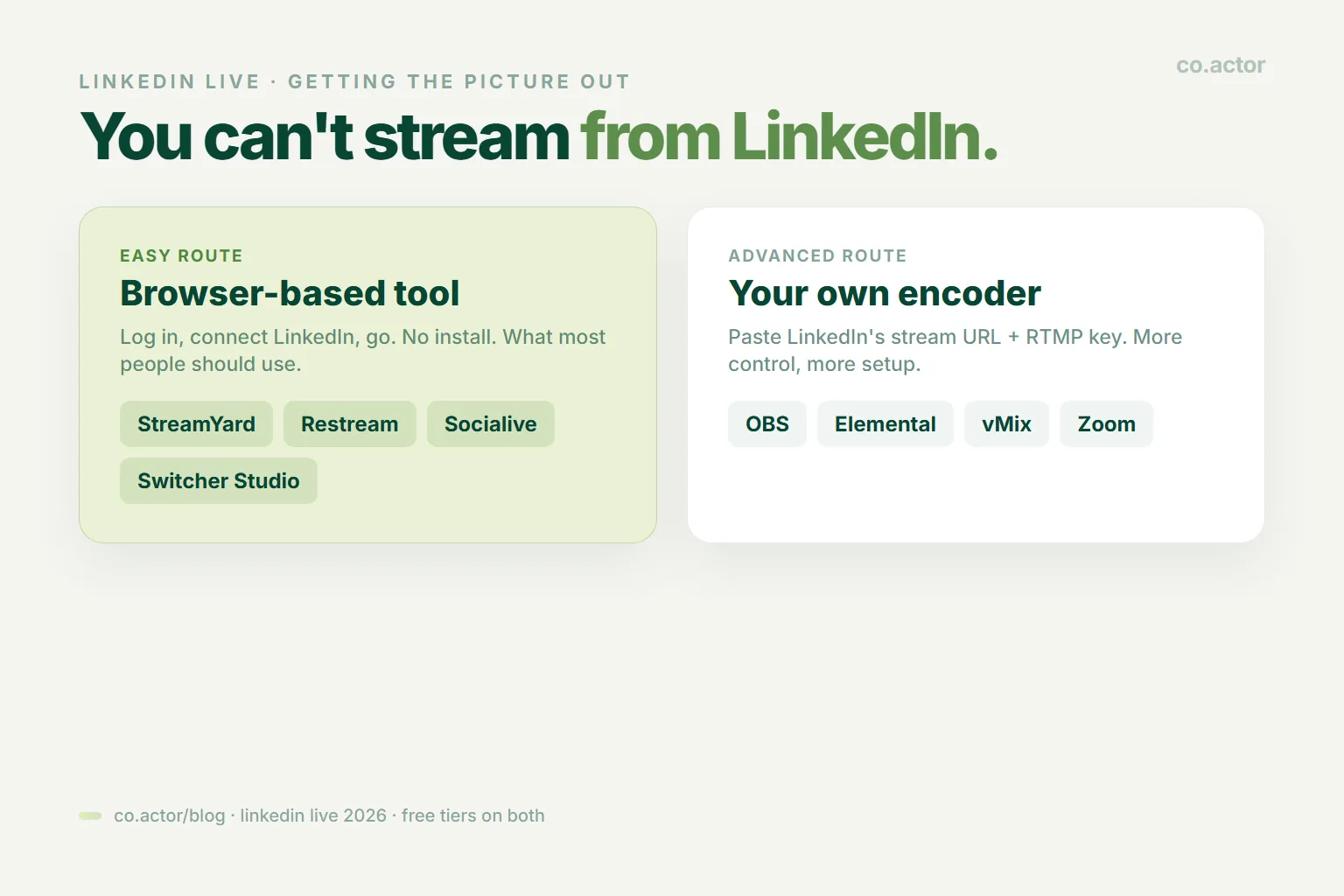
The easy route — a browser-based tool. LinkedIn's preferred partners are StreamYard, Restream, Socialive, and Switcher Studio. You log in, connect your LinkedIn account, and it handles everything: your camera, your guests, your on-screen name, the branding. No software to install. This is what most people should use.
The advanced route — your own encoder. LinkedIn gives you a stream URL and a key, and you paste them into OBS, Elemental, vMix, or Zoom. More control — multiple cameras, overlays, screen shares — and more setup. Use this if you already know what a stream key is.
Neither route costs you anything on LinkedIn's side. The tools have free tiers.
The New Rule: Everything Must Be Scheduled
If you read one operational thing today, read this. As of June 22, 2026, you can no longer go live spontaneously on LinkedIn. LinkedIn's own wording: "the ability to go live spontaneously is no longer available. All events must be scheduled ahead of time." It was announced quietly on March 29 and took effect in June.
The old "Go Live" button that let you start broadcasting on a whim is gone. Same for the instant "go live via Zoom" shortcut.
But don't panic — this is smaller than it sounds. You can still go live on almost no notice. You just have to create the Event first, and you're allowed to schedule it minutes before you start. The event record is what's mandatory, not the lead time.
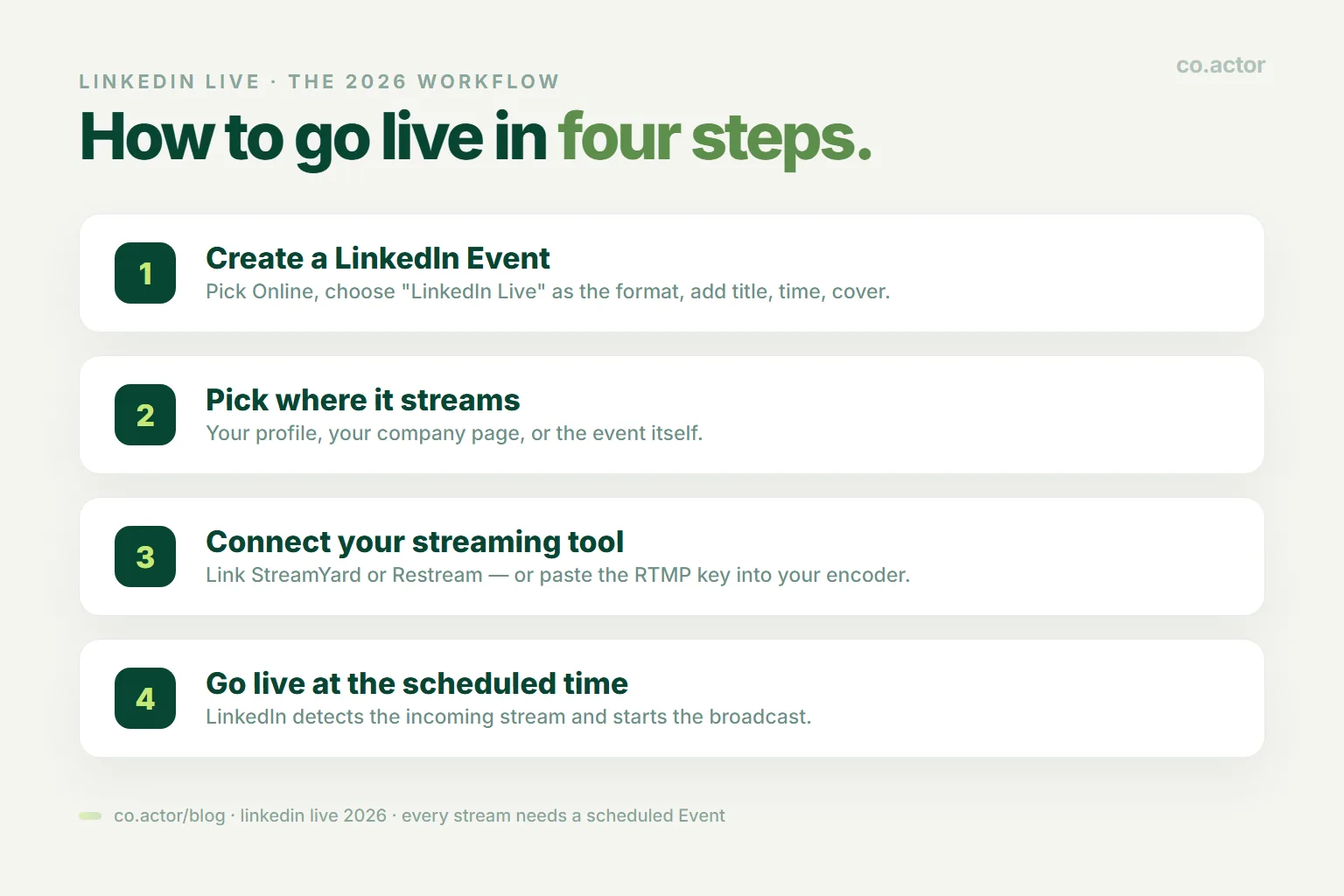
So the workflow in 2026 is:
- Create a LinkedIn Event. Pick Online, choose LinkedIn Live as the format, give it a title, a time, a description, and a cover image.
- Pick where it streams — your profile, your page, or the event itself.
- Connect your streaming tool (or paste the RTMP key into your encoder).
- Go live at the scheduled time. LinkedIn detects the incoming stream and starts the broadcast.
That's it. Once you've done it once, it takes minutes.
Why LinkedIn Did This (The Interesting Part)
You could shrug and call this a UX tweak. It isn't. There are two reasons, and the second tells you exactly where LinkedIn is going.
Reason one: nobody can find a stream that already started. A spontaneous broadcast is invisible until it's live — and by then you've missed it. A scheduled Event can be shown in feeds days ahead and pushed out through notifications. LinkedIn's COO Daniel Shapero pointed to a 24% jump in events shared on the platform, quarter over quarter — events are competing hard for attention, and unfindable ones lose.
Reason two — and this is the real one: advertising.
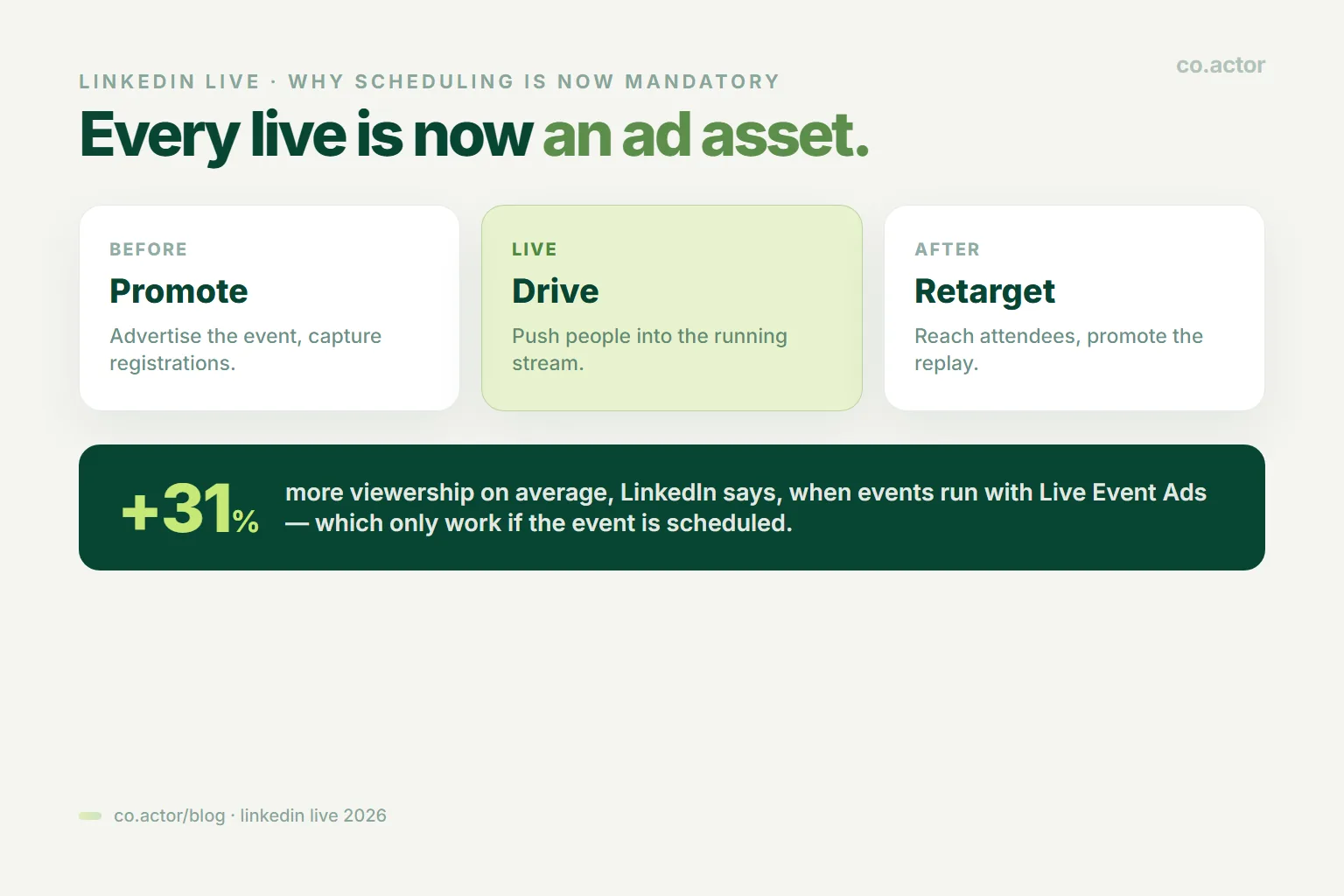
LinkedIn is building a business on top of live events. Live Event Ads launched in April 2024, and they work in three stages: before the event (promote it, capture registrations), during it (drive people into the running stream), and after it (retarget everyone who registered or attended, and push the replay).
Look at that structure. It only works if an event has a clear beginning, middle, and end that the ad system can target. A spontaneous stream has no such window — there's nothing to sell against. So by requiring a scheduled Event, LinkedIn turned every single live broadcast into an advertisable asset. LinkedIn says event ads drive 31% more viewership of events on average (details here).
Why should you care? Because it tells you LinkedIn is financially motivated to push live events into people's feeds. When a platform builds an ad product on a feature, it starts promoting that feature. That's a tailwind — and right now almost nobody is riding it.
So What Do People Actually Do With It?
"Go live" is not a strategy. Here are the formats that actually work, and what each one is for. Most of them pair well with the kind of steady presence a content engine is built to sustain.
- Ask Me Anything. Almost no prep. You show up, people bring problems, you answer. Brilliant for founders and consultants — it surfaces exactly what your audience is struggling with, which is free market research.
- Product demo or walkthrough. For software and services. Showing the thing beats describing the thing. Good for people who are already interested and need a push.
- Panel discussion. Three experts on a topic. More authority than you have alone, and everyone's audience gets invited.
- Webinar-style training. A clear promise — "how to do X in 45 minutes." The most reliable path from viewer to conversation.
- Hiring event. Recruiters and hiring managers take candidate questions live. Enormously better than a job post for showing what a company is actually like.
- Expert interview. Bring a guest who's more famous than you. Their audience shows up, and you borrow the credibility.
- Launch or announcement. New product, new feature, new round. Live gives it a sense of occasion a post can't.
- Office hours. A recurring 20–30 minute clinic where anyone can ask you about your specialty. Boring on paper, deadly effective — it turns idle questions into real conversations, week after week.
- Customer story, told live. Your customer explains, in their own words, what changed. This is the most persuasive thing you will ever broadcast, and you barely have to speak.
The thread through all of these: the value isn't the broadcast, it's that real people showed up with their names attached and talked to you. LinkedIn Live is not a content format. It's a room — which makes it one of the strongest networking moves on the platform.
What Happens After You Stop Streaming
The stream ends. The work doesn't.
The recording is the asset. It lands in the feed as "Previously recorded live" and keeps picking up views from people who never knew it happened. Plenty of streams get more views on replay than they ever had live.
Chop it up. People who take this seriously turn one 45-minute session into weeks of content: short clips with the best moments, a recap post, a newsletter issue, a blog article, a YouTube upload. One session, a month of material. (You'll see claims of "30+ pieces from one live" — that's from people who sell live-streaming courses. It's possible, but treat it as ambitious, not typical.)
Read the analytics. As the broadcaster you get: how many registered versus how many actually showed, peak live viewers, average watch time, reactions and comments, replay views, and a breakdown of who watched by job title, industry, and location.
That last one is worth pausing on. You get the job titles of the people who chose to spend 30 minutes listening to you. There is no colder-blooded way to find out who your real audience is.
How To Not Waste The Effort
Most LinkedIn Lives flop, and they flop for boring, fixable reasons.
- Aim for 30–45 minutes. That's the sweet spot LinkedIn's own data points to. Recurring office hours can be shorter — 20 to 30.
- Promise an outcome, not a topic. "Leadership insights" is a graveyard. "How to hire your first five salespeople in 90 days" gets people to block the time.
- Promote it like it matters. Announce 7–10 days out. Invite your connections. Post a teaser a couple of days before. Remind people on the day. LinkedIn's own advertising guidance suggests a two-week runway. Announcing once, an hour before, is why your last one had four viewers.
- Actually talk to people. Greet them by name as they arrive. Pin a comment with your links. Build a chunk of the session around their questions. A stream where you read slides for 45 minutes is a video — and a worse one than you'd have recorded.
- Commit to a series. One live tells you nothing. Give it eight or ten sessions on a regular schedule before you judge it. The compounding comes from people knowing you'll be there.
- Follow up. Send the replay to attendees, thank the people who asked good questions, and continue the conversation with the ones who lit up. A live with no follow-up is a party you threw and then left.
Who Should Skip This
We don't do hype, so — LinkedIn Live is genuinely not for everyone.
- You don't have an audience yet. If you're at 80 connections, you don't qualify anyway, and an empty room is demoralizing. Post consistently for a few months first and build your personal brand.
- You won't do the follow-up. If the stream is where your effort ends, most of the value evaporates. Pre-recorded video will serve you better for less work.
- You can't commit to a cadence. A single, random live underperforms a polished video post. Do it properly or don't do it.
- Your buyers aren't on LinkedIn. Then none of this matters. Go where they are.
For everyone else — founders, consultants, recruiters, anyone with a modest audience and something to teach — this is one of the most underused channels on the platform.
Your Action Items This Week
- Check if you have access. Start creating a LinkedIn Event and look for "LinkedIn Live" in the format dropdown. Ten seconds, and you'll know.
- If you don't have it: you're short on followers, account age, or standing. Build past 150 connections, keep your record clean, and come back.
- If you do have it: sign up for StreamYard or Restream (free tier), connect your LinkedIn, and do a five-minute test stream to an event you tell no one about. Get the tech nerves out of the way.
- Then pick one format from the list above — office hours or an AMA are the lowest-effort starts — schedule it 10 days out, and invite your connections.
You don't have to be good at this on day one. You have to be there on day one, because almost nobody else is. LinkedIn now has a real financial reason to put live events in front of people — a feature the algorithm's owners actively want to succeed, that almost none of your competitors are using. The room is open, and it's mostly empty. That won't last.
Frequently Asked Questions
Can anyone go live on LinkedIn?
No. LinkedIn's four criteria are: 150+ followers or connections, an account or page 30+ days old, a good standing record, and not being in mainland China. That's the whole list — Creator Mode and a posting history are not required. If you don't qualify, the Live option won't appear.
Can you stream directly from LinkedIn?
No. There is no record button. You need an outside tool — a browser-based one like StreamYard, Restream, Socialive, or Switcher Studio, or your own encoder like OBS, vMix, or Zoom using a stream key. Both routes have free tiers.
Do you still need to schedule a LinkedIn Live?
Yes. Since June 22, 2026, spontaneous go-live is gone and every stream must attach to a scheduled Event. The catch is small: you can schedule the Event just minutes before you start. The event record is mandatory, not the lead time.
What is LinkedIn Live actually good for?
AMAs, product demos, panels, webinar-style training, hiring events, expert interviews, launches, office hours, and customer stories. The point is the same across all of them: real people show up with their names attached and talk to you. It's a room, not a content format.
What happens to a LinkedIn Live after it ends?
The recording lands in the feed as "Previously recorded live" and keeps collecting views — often more than it had live. You also get analytics: registered versus attended, peak viewers, watch time, replay views, and who watched by job title, industry, and location.
How long should a LinkedIn Live be?
Aim for 30 to 45 minutes; recurring office hours can be 20 to 30. Promise an outcome rather than a topic, promote it about a week out, greet people by name, and commit to a series of eight to ten sessions before judging it.
Fill the Room Before You Open the Doors
Serge Bulaev is the CEO and founder of Co.Actor, a LinkedIn growth platform for B2B founders and their teams. He writes about content systems, profile positioning, and how the LinkedIn algorithm actually rewards modern creators.
Sources
- LinkedIn Help — LinkedIn Live overview
- LinkedIn Help — LinkedIn Live access criteria
- PPC Land — LinkedIn ends spontaneous live streaming from June 22
Related Reading
Written by
