For years, your LinkedIn profile worked on the honor system. You typed "HubSpot" into your skills. You wrote "proficient in Figma." And a recruiter just had to take your word for it — the same word everyone else was typing.
That's starting to change. LinkedIn has quietly rolled out a new profile section called Connected Apps. Instead of you claiming you use a tool, the tool itself confirms it — and describes exactly what you do with it, automatically, in your own profile. It's small right now, and most people haven't seen it yet. Which is exactly why it's worth understanding today, whether you're job hunting, building a personal brand, or running a software company that would love free space on thousands of profiles.
If You Only Have 60 Seconds
- Connected Apps is a new profile section where you link the real tools you use — Gamma, HubSpot, Replit, Descript, JetBrains, Buffer and more — and the app writes a short, verified line about how you use them.
- You don't write that line. The app does. It updates by itself as your usage changes, and you can't edit it. It turns "I say I use this" into a receipt.
- For job seekers, it's proof instead of claims. Recruiters get something more concrete than a self-typed skills list.
- For SaaS founders, it's free distribution. Every user who connects your app turns their profile into a small, permanent ad for your product.
- It's early, but not tiny. LinkedIn says over a million members have already connected an app. Getting in now, as a user or a tool, is an early-mover edge.
One honest note up front: LinkedIn says this helps you "get more profile views." That's their marketing line. There's no public proof yet that it boosts views or changes the algorithm. Treat the credibility as the real benefit, not a traffic hack.
In This Article
- What Connected Apps Actually Is
- How to Add One
- Who's in the Catalog
- For Job Seekers: Turn Claims Into Receipts
- For SaaS Founders: Free Real Estate on Thousands of Profiles
- Who Else This Helps
- The Honest Limits
- Your Action Items This Week
- Frequently Asked Questions
What Connected Apps Actually Is
Connected Apps is part of a bigger LinkedIn push called Verified Skills — the idea being that skills should be proven by real activity, not just typed into a box.
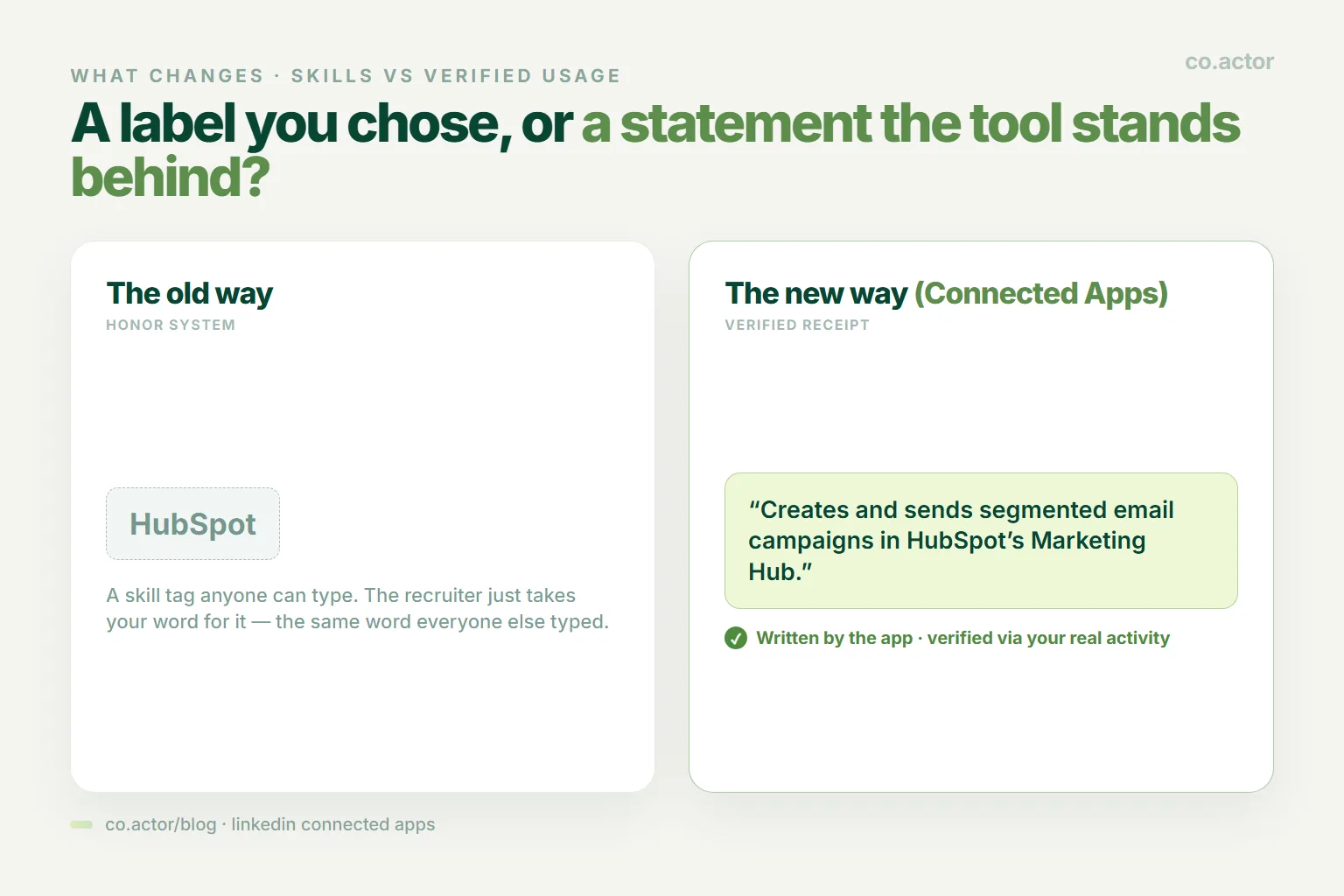
Here's the difference in one line. Old way: your profile says "HubSpot" in the skills section. New way: your profile says "Creates and sends segmented email campaigns in HubSpot's Marketing Hub" — and that sentence was written and confirmed by HubSpot, not by you. That's the whole shift: from a label you chose, to a statement the tool stands behind.
A few things matter about these statements:
- The app writes them, not you. You can't edit the wording.
- They update on their own as your real usage changes.
- They're never negative. If you use the tool less, it doesn't shame you — it just quietly reflects less.
- Heavy users can earn a "Top User" badge — a real signal of depth, not just "I opened it once."
Key Takeaway: Connected Apps is less like a skill tag and more like a reference letter that writes itself — and updates itself.
How to Add One
It's simple, and it's opt-in at every step.
- Go to your profile and click Add Section.
- Choose Add connected app.
- Browse the catalog and pick a tool you actually use.
- The app asks your permission to share your activity with LinkedIn — you approve it.
- A verified usage line appears in your new Connected Apps section.
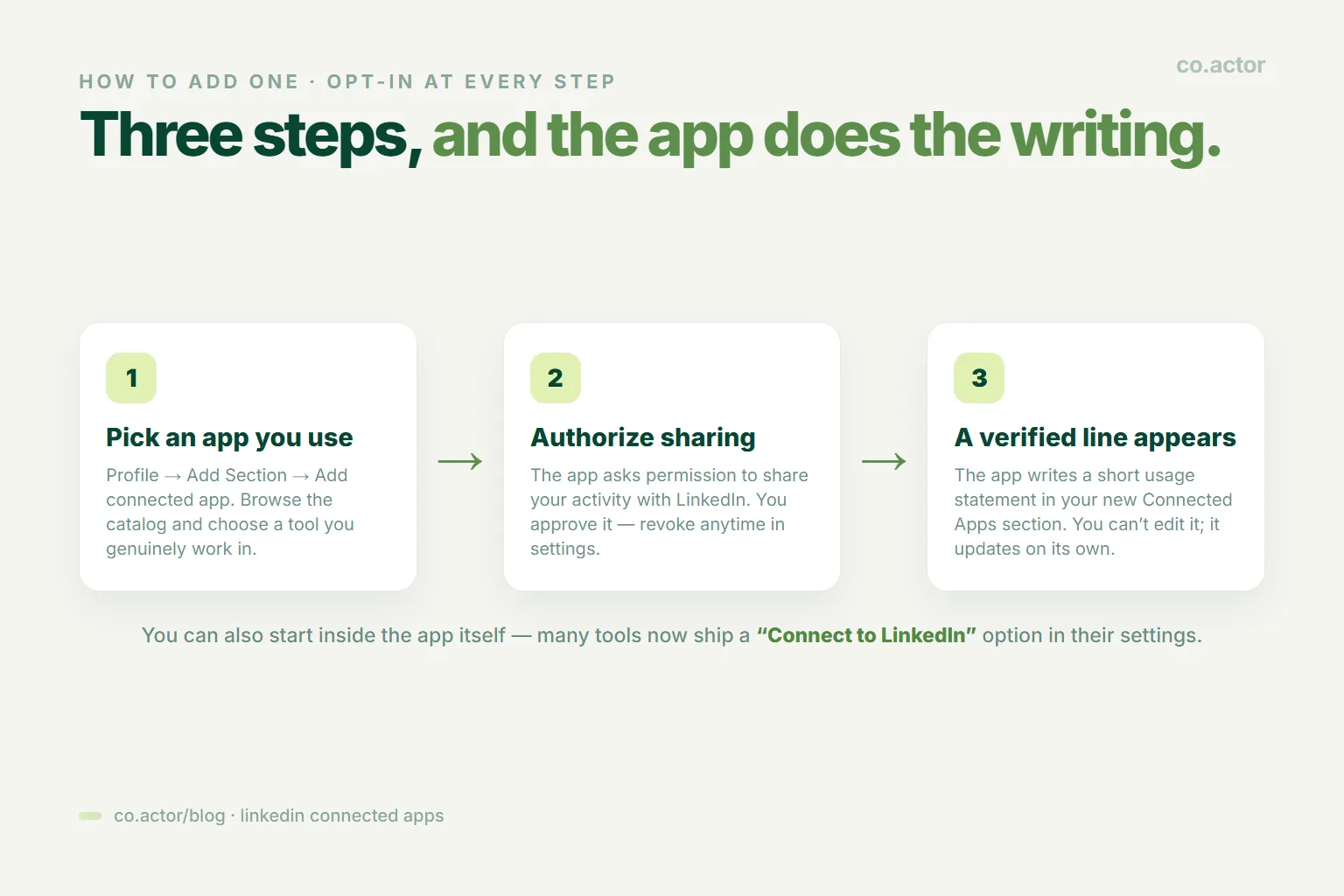
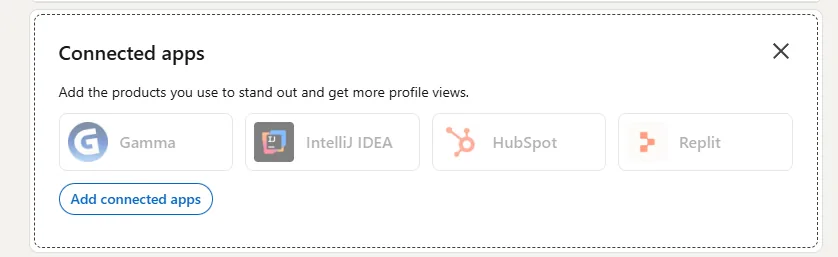
You can also start from inside the app itself — many tools (like JetBrains' IDEs) now have a "Connect to LinkedIn" option in their settings. Changed your mind? You can disconnect any app anytime in your LinkedIn settings under permitted services. Nothing is permanent.
Who's in the Catalog
The list started small on purpose and is growing in waves.
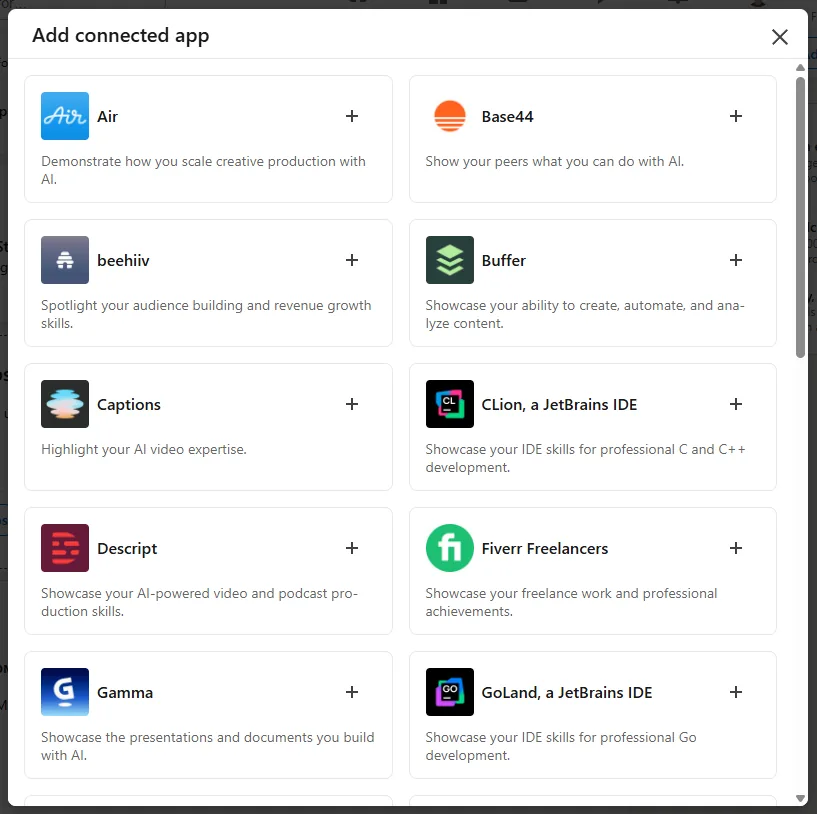
It launched in January 2026 with a handful of partners — Descript, Duolingo, Lovable, Relay.app, and Replit. Since then it's been adding tools across every category:
- Marketing: HubSpot, Buffer, beehiiv
- Design and content: Adobe Express, Adobe Firefly, Gamma, Captions, HeyGen, Pictory
- Engineering: GitHub Copilot, JetBrains IDEs, Replit
- Sales and ops: Gong, Zapier, Webflow, Fiverr
If you've seen the "Add connected app" window lately, you've probably spotted Gamma, JetBrains, Air, Base44, and beehiiv already in there. Notice the pattern: a lot of these are AI and modern SaaS tools. LinkedIn is quietly turning your profile into a map of how you work in 2026 — and which new tools you've actually adopted.
For Job Seekers: Turn Claims Into Receipts
This is where Connected Apps earns its keep right now. Every job seeker has the same problem: a skills section full of words that anyone can type. "Excel." "Salesforce." "Python." A recruiter scrolling fifty profiles has no way to tell the real from the wishful.
Connected Apps cuts through that. When a recruiter sees that GitHub itself confirms you ship code regularly, or that HubSpot confirms you run real email campaigns, that lands differently than a self-typed tag. It's a receipt, not a claim — and it pairs well with a sharp profile strategy.
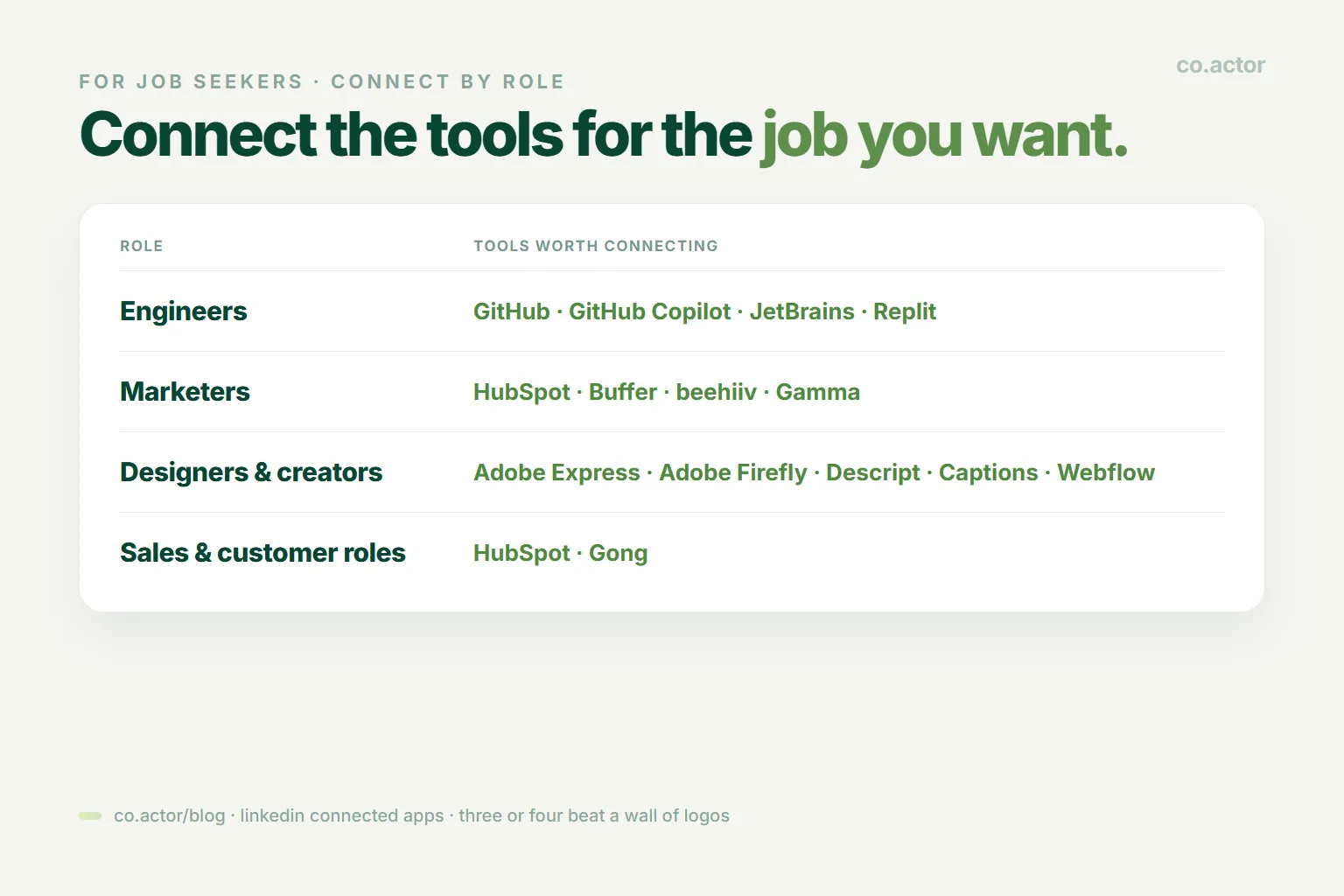
Connect the tools that match the job you actually want:
- Engineers: GitHub, GitHub Copilot, JetBrains, Replit
- Marketers: HubSpot, Buffer, beehiiv, Gamma
- Designers and creators: Adobe Express, Adobe Firefly, Descript, Captions, Webflow
- Sales and customer roles: HubSpot, Gong
A few honest do's and don'ts:
- Do connect tools you genuinely use day to day — the statements reflect real activity, so a tool you barely touch produces a weak, generic line that helps no one.
- Do use it to back up your skills, not replace them. The strongest profiles line up: the skill is listed, the experience supports it, and the connected app proves it.
- Do show off a "Top User" badge if you earn one. For a niche tool, that's a genuine signal of depth.
- Don't connect twenty apps to look busy. Three or four that map cleanly to your target role beat a wall of logos.
- Don't treat it as a replacement for your portfolio. A verified line says you edit video in Descript; it doesn't show the video. Keep your real work in your Featured section.
- Don't assume every recruiter is using this yet. It's still rolling out. Today it's an extra edge, not a substitute for a strong profile and outreach.
And the honest caveat: LinkedIn hasn't confirmed that recruiters can filter search by connected apps yet. Right now they see it by eye, the way they read your experience. That may change — but don't bank on a filter that isn't public.
For SaaS Founders: Free Real Estate on Thousands of Profiles
Now flip the screen around. If you build software, Connected Apps is one of the most interesting distribution channels LinkedIn has ever opened — and almost nobody is talking about it yet.
Every user who connects your tool gets a permanent section on their profile — with your name, your logo, and a sentence describing what they do with your product. That sentence sits in front of every recruiter, peer, and prospect who views them.
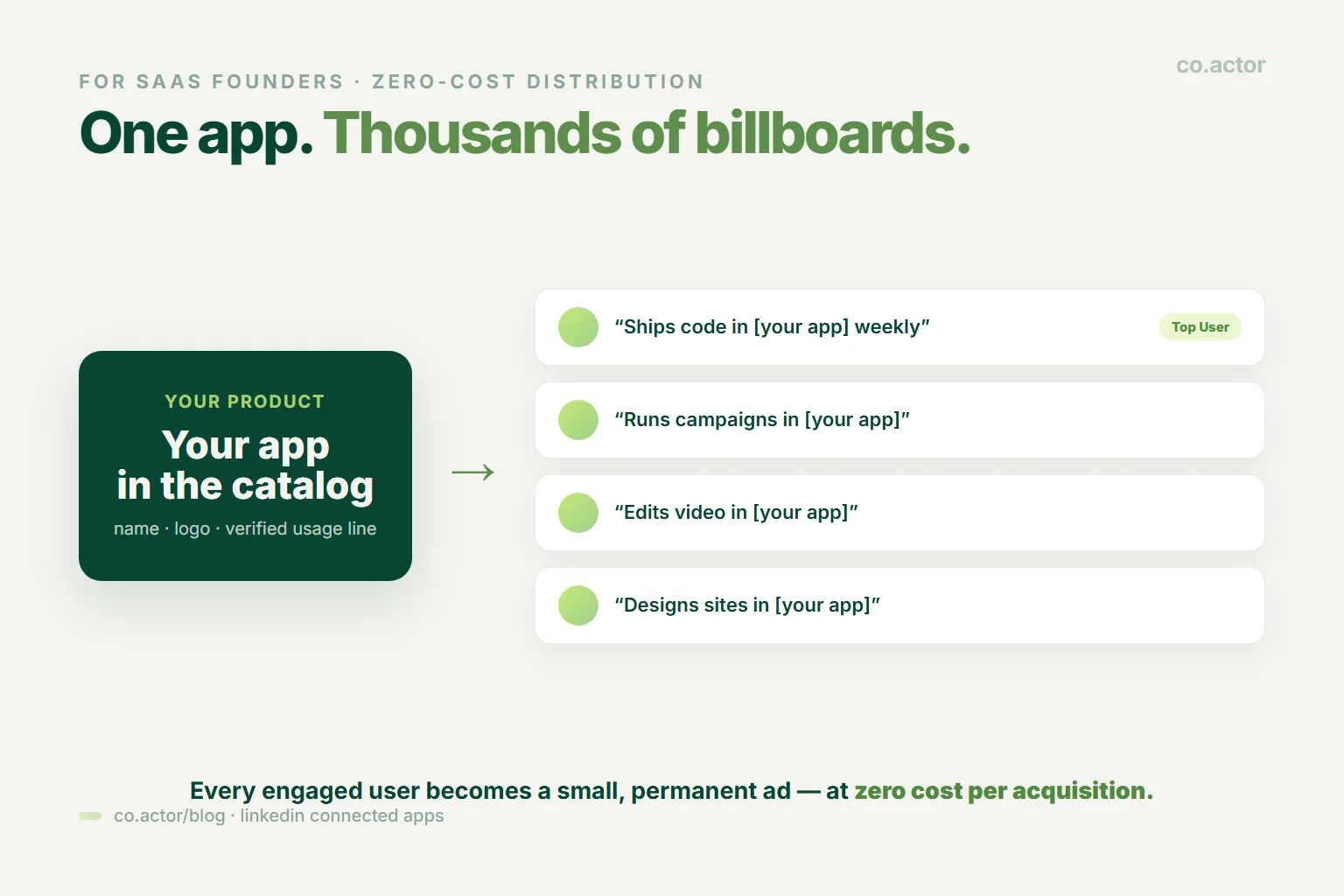
In plain terms: every engaged user becomes a tiny, ongoing ad for you — at zero cost per acquisition. You're not buying impressions. Your users are handing you profile space because it makes them look good. It gets better: the "Top User" badge creates a quiet status game — power users want the badge, so they use your product more to keep it. That's a retention loop built into LinkedIn itself. And the trust is borrowed from LinkedIn: "verified via LinkedIn and your own activity" beats a logo dropped into a résumé.
How you actually get in: LinkedIn's own June 2026 announcement points companies to a collaboration form — so there's a real intake path, not just back-channel deals. Expect a curated review, though: LinkedIn selects partners, it isn't instant self-serve. And you'll need an OAuth integration so users can authorize the connection.
Here's the encouraging part for smaller players: the catalog isn't just giants. Early-stage tools like Lovable, Relay.app, Base44, and Gamma made it in. That tells you product fit and category relevance matter more than headcount. There's no confirmed minimum size or revenue bar.
Two Ways to Put Your Product on LinkedIn
There are actually two separate ways a software product can show up on LinkedIn. They're different features — do the easy one first.
Path 1 — Product Page (quick win, no engineering). On your LinkedIn Company Page, add your product: pick a category, write a short description, add a call-to-action and some demo media, and submit it for review. Once it's live, people can follow it, review it, and endorse it. You'll need admin access to the company page, and there's a short review period before it appears. This one you can start today.
Path 2 — Connected Apps (the real prize). This is the verified-usage integration — the one that puts your product's name on users' actual profiles. It needs engineering, but it's where the free distribution lives.
- Build the OAuth integration. Your app tracks meaningful user activity, lets the user authorize sharing, and sends LinkedIn a short capability statement. (JetBrains already ships a plugin that does exactly this — a clean reference for the pattern.)
- Apply through LinkedIn's collaboration form, linked from their June 2026 announcement. Expect a curated review — LinkedIn selects partners, so it's not instant self-serve.
- Once approved, add an in-app prompt that nudges users to connect LinkedIn. Every connected user becomes a billboard.
Key Takeaway: If your product makes someone look more capable at their job, you have a natural reason to be in this catalog. That's the filter LinkedIn seems to be using. LinkedIn's CEO put it plainly to founders: "For the brands behind these tools, there's no better endorsement than a customer who's actively using and loving your product."
Who Else This Helps
It's not only job hunters and founders.
- Freelancers — verified tool usage is instant proof for clients deciding whether to hire you. "Top User in Descript" is a sales pitch in a badge.
- Career switchers — you can show you've genuinely picked up the tools of a new field, even before you have the job title. Proof of effort, not just claims.
- Creators and personal brands — your profile becomes a live picture of how you actually work, which is far more credible than a list of buzzwords.
- Teams and agencies — a whole team showing verified proficiency in the same stack is a quiet credibility signal to prospects.
The common thread: anyone who is evaluated on what tools they can actually use now has a way to prove it without a portfolio, a test, or a screen-share.
The Honest Limits
Because we don't do hype here, the caveats in one place:
- "More profile views" is LinkedIn's marketing line. No public proof it boosts views or ranking. The real benefit is credibility.
- Getting in is curated. There's an official collaboration form for companies, but LinkedIn reviews and selects partners — it's not instant self-serve.
- No confirmed recruiter filter for connected apps yet — recruiters see it by eye for now.
- Statements aren't editable. You have to be comfortable with an app publicly summarizing your usage. For sensitive client work, think before connecting.
- It's rolling out gradually, so not everyone has it, and not every recruiter is looking at it yet.
None of that makes it not worth doing. It makes it an early-mover move — strong upside, low cost, and you're ahead of the crowd that hasn't noticed it.
Your Action Items This Week
If you're job hunting or building a brand:
- Check whether you have the Connected Apps option yet (Add Section → Add connected app).
- Connect two or three tools that genuinely match the role you want — no more.
- Line them up with your skills and experience so the story is consistent.
If you build software:
- Look at whether your product naturally makes users "better at their job" — that's the catalog's filter.
- Build the OAuth integration: activity tracked → user consents → short capability statement sent.
- Apply through LinkedIn's collaboration form (linked from their June 2026 announcement) while the review queue is short.
For most of LinkedIn's history, your profile was a list of things you said about yourself. Connected Apps is the start of something different — a profile where the tools you use speak for you, and where claiming gives way to proving. The honor system had a good run. Receipts are better. If you're a founder rethinking how you show up here, our LinkedIn for founders playbook and LinkedIn AI toolkit are good next reads.
Frequently Asked Questions
What is LinkedIn Connected Apps?
A new profile section, part of LinkedIn's Verified Skills program. You link a supported tool you use, and the app writes a short, verified line describing how you use it — turning a self-typed skill tag into a statement the tool stands behind. LinkedIn says over a million members have already connected an app.
Who writes the connected app statement, and can I edit it?
The app writes it, not you, and you can't edit the wording. It updates on its own as your usage changes and is never negative. Heavy users can earn a "Top User" badge. Because it's public and auto-generated, think before connecting apps tied to sensitive client work.
How do I add a connected app on LinkedIn?
Profile → Add Section → Add connected app. Pick a tool you use, approve its request to share your activity, and a verified line appears. Some apps also offer a "Connect to LinkedIn" option in their own settings. You can disconnect anytime under permitted services.
Does Connected Apps get me more profile views?
LinkedIn says so, but that's marketing. There's no public proof it boosts views or changes the algorithm. Treat the credibility as the real benefit, not a traffic hack.
Can recruiters filter search by connected apps?
Not confirmed yet. Recruiters currently see it by eye, the way they read your experience. That may change, but don't bank on a filter that isn't public.
How do SaaS founders get their app into the catalog?
There's a real intake path: LinkedIn's June 2026 announcement links a collaboration form, and you'll need an OAuth integration. Expect a curated review — LinkedIn selects partners. Early-stage tools got in, so product fit matters more than headcount. No confirmed minimum size or revenue bar.
Your Apps Prove Your Stack. Your Content Proves Your Mind.
Serge Bulaev is the CEO and founder of Co.Actor, a LinkedIn growth platform for B2B founders and their teams. He writes about content systems, profile positioning, and how the LinkedIn algorithm actually rewards modern creators.
Sources
- LinkedIn official announcement, "Visibility builds credibility — the tools you use every day, now on your profile" (June 17, 2026)
- JetBrains IntelliJ IDEA — LinkedIn Connected Apps plugin documentation
- The Verge and regional tech press coverage of the Connected Apps rollout (2026)
- Recruiting-ecosystem and sourcing analyses of LinkedIn Verified Skills (2026)
Related Reading
Written by
