Two kinds of people worry about LinkedIn automation. One is scared to touch a scheduling tool, because a comment thread told them it kills your reach. The other runs a bot that fires off 200 connection requests a day, then wonders why the account just got locked. Both misread the same thing, and it is a thing LinkedIn is very clear about.
The whole piece fits in one sentence: you can automate the work of showing up on LinkedIn, but you can't automate being there. What follows is the real line between the automation that saves you hours and the automation that gets your account restricted, drawn from LinkedIn's own written rules rather than from guesses.
If you only have 60 seconds
- The risky kind: bots and browser extensions that act as you. Auto-sending connection requests, DMs, profile visits, likes, endorsements, or scraping data. LinkedIn's rules prohibit these by name.
- The safe kind: tools that help you make and schedule content. AI that drafts posts you review, and schedulers that publish through LinkedIn's official system. These are fine.
- The line: does the tool pretend to be a human doing human things on the site? That is a bot. Does it help you create, then hand you back the controls? That is a tool.
- Scheduling does not kill your reach. There is no official penalty and no real data behind that myth. The feed cares about engagement, not how the post got there.
- What hurts you is spammy automation, not automation itself. Blasting identical messages to strangers trips detection whether a bot did it or you did it by hand.
One honest note up front. This is about your account's safety and quality, which is a separate question from what gets reach. A tool can be perfectly allowed and still produce garbage if you let it. Keeping a real person on the publish button is what matters.
In This Article
- What LinkedIn actually says about automation
- The one question that sorts every tool
- Four types of LinkedIn automation, sorted
- Does scheduling kill your reach?
- What gets your account restricted
- The risk ladder: how enforcement escalates
- How we automate LinkedIn safely
- Your LinkedIn automation checklist
- Frequently asked questions
What LinkedIn Actually Says About Automation
The word "automation" got stretched to cover two completely different things, and that is the whole problem. When a growth hacker says "I automate my LinkedIn," they usually mean a bot that logs in as them and machine-guns connection requests at strangers all night. When a busy founder says the same words, they usually mean they wrote three posts on Sunday and scheduled them for the week. Same word, opposite worlds.
LinkedIn is not confused about which is which. It spells the rule out on its own help pages, Automated activity on LinkedIn and Prohibited software and extensions. Here is the core sentence, word for word:
"we don't permit the use of any third party software, including 'crawlers', bots, browser plug-ins, or browser extensions that scrape, modify the appearance of, or automate activity on LinkedIn's website."
Every word there is doing a job. What is banned is software that scrapes (harvests data), modifies the appearance of the site, or automates activity on LinkedIn's website, meaning it drives the site as if it were you. The consequence, also in their words: any member who uses tools for such purposes is in violation of the User Agreement, and they risk having their accounts restricted or shut down.
Notice what is not in that sentence. Not a word about scheduling your own posts. Not a word about using AI to help write. The rule points squarely at software that acts on the platform in your place: sending, connecting, scraping, faking activity. That is the line. Everything else is detail.
The One Question That Sorts Every LinkedIn Tool
Here is the test you can apply to any tool, forever. Does the tool act on LinkedIn as if it were you, a real human? If yes, and it connects, messages, visits, likes, or scrapes on your behalf, it is a bot. Against the rules. Risky. If no, and it helps you create or organize content while you do the publishing, it is a tool. Fine.
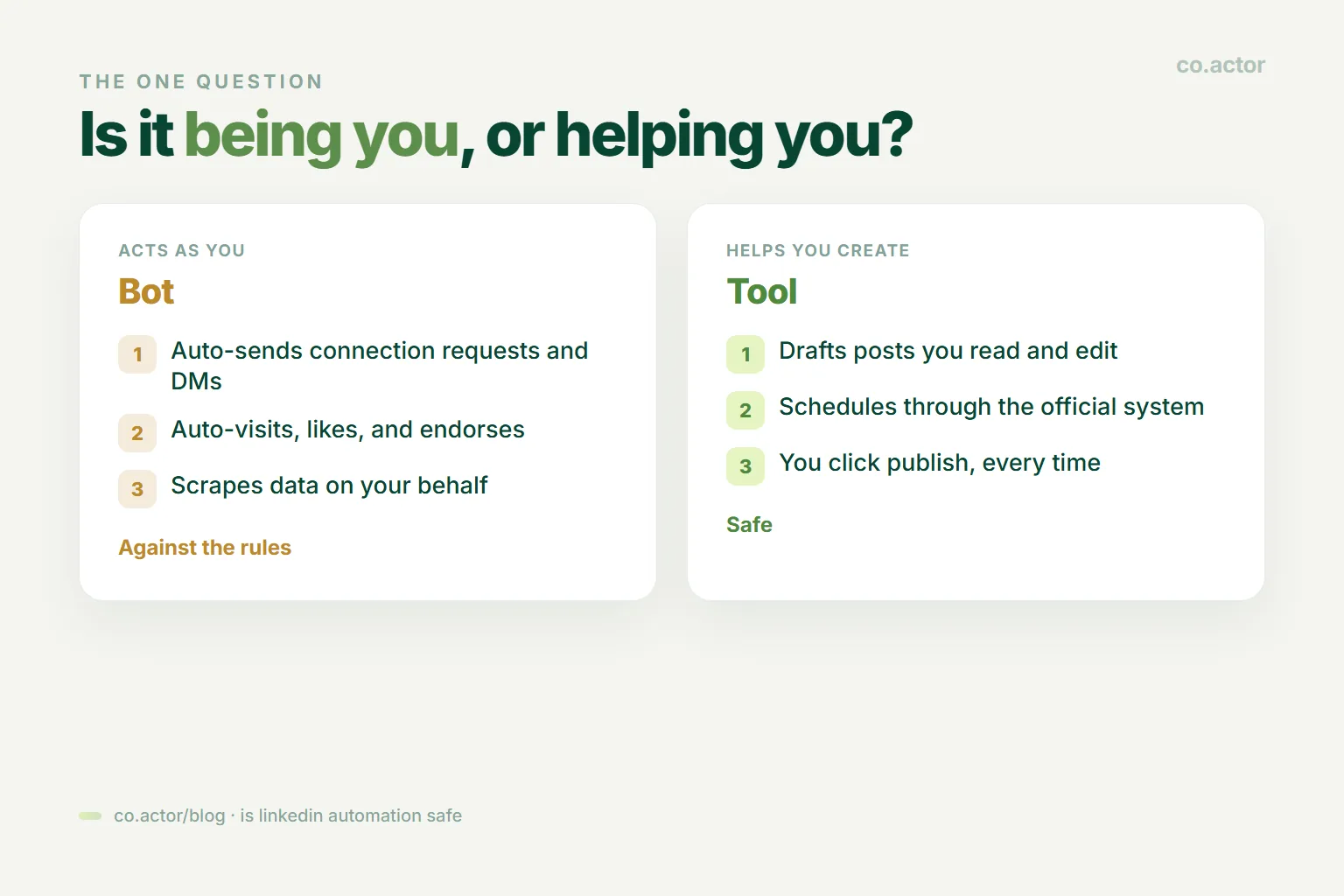
You don't need to memorize a list of brand names. You ask one question: is this thing being me, or helping me? A bot logs in and does human things at machine speed. A tool takes the raw material you made and organizes or publishes it, then hands the controls back to you. Once that click happens, most of the fear around LinkedIn automation goes away.
Four Types of LinkedIn Automation, Sorted
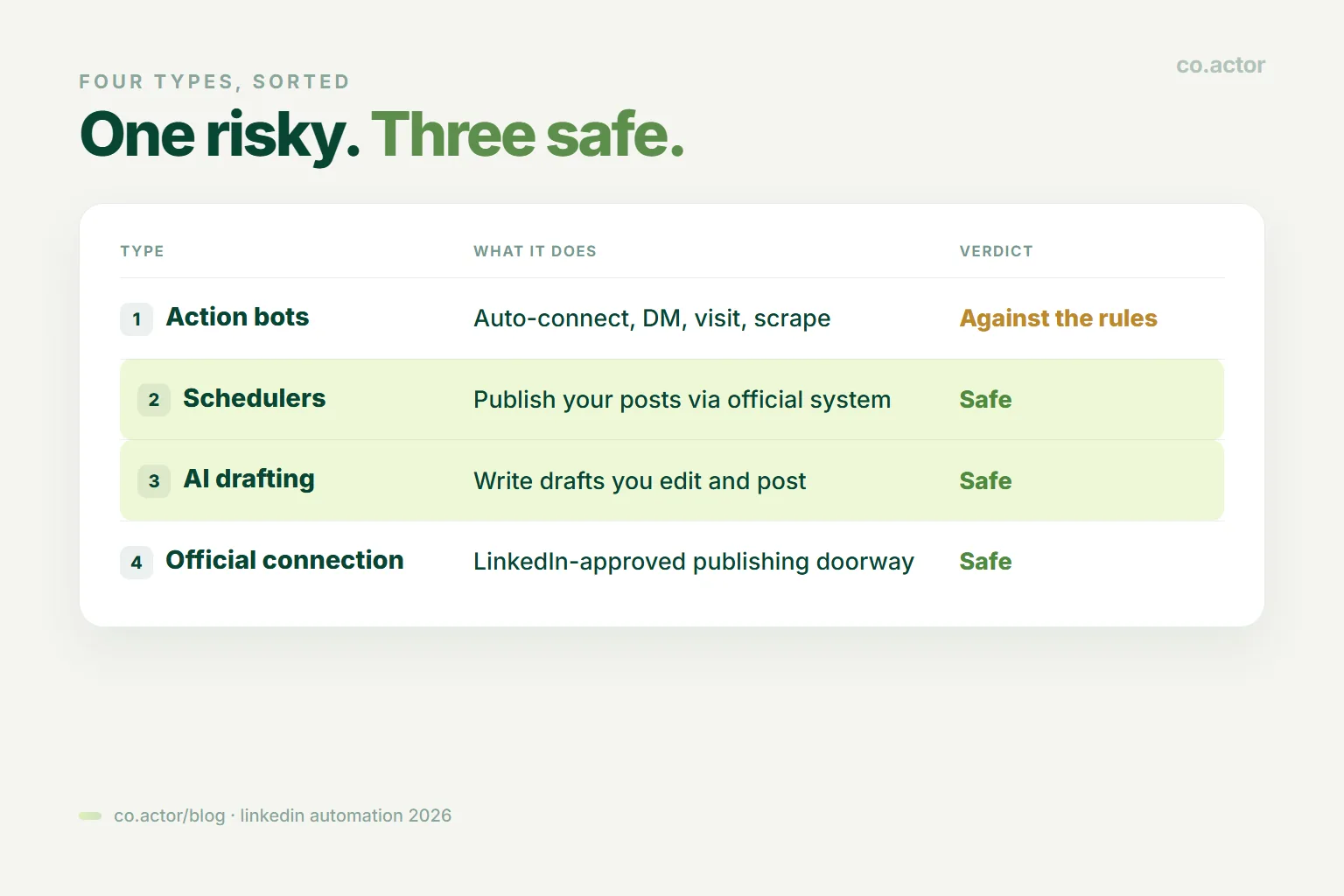
Run the four common categories through that one question and they sort themselves cleanly. One category is against the rules. Three are just how efficient people work.
Action bots: against the rules
Tools that auto-send connection requests, auto-DM new connections, auto-visit profiles, auto-endorse, auto-like, or scrape people's data into a spreadsheet. The whole category of "growth" browser extensions and cloud bots lives here. LinkedIn names this exact behavior as prohibited, and these sit at the very top of the risk ladder. In 2026 they are easier than ever to catch, which the next sections get into.
Schedulers: safe, when they use the official system
Tools that take a post you wrote and publish it at a set time through LinkedIn's official system. LinkedIn's own built-in scheduler is obviously fine, and trusted tools that publish through the official connection do the same job. This is how busy people keep a steady posting rhythm without living inside the app. The key detail: they push out your content, they don't pretend to be you clicking around.
AI drafting assistants: safe
Tools that help you write. Draft a post, sharpen an opening line, clean up a comment, then you read it, edit it into your own voice, and post it yourself. There is no rule against using AI to write, and it is no different from hiring a ghostwriter. If you want to compare options, we cover the AI drafting tools that keep your voice intact. The rules are about how you act on the site, not how your words got written.
The official connection: the approved way
LinkedIn itself builds and approves the doorways that let trusted tools publish for you. The rule was never "no automation ever." It is "no automation that scrapes data or fakes being human." Publishing through that approved doorway is the green light. The question was never whether to automate. It is which side of the line your tool sits on.
Does LinkedIn Scheduling Kill Your Reach?
The most stubborn LinkedIn myth of all is that scheduling tools kill your reach. There is no official statement from LinkedIn saying scheduled posts are demoted. There is no credible 2026 data showing a systematic penalty for using a scheduler. It is an anxiety that spread by repetition, not evidence, and it belongs in the same bin as most fears about a shadow ban.
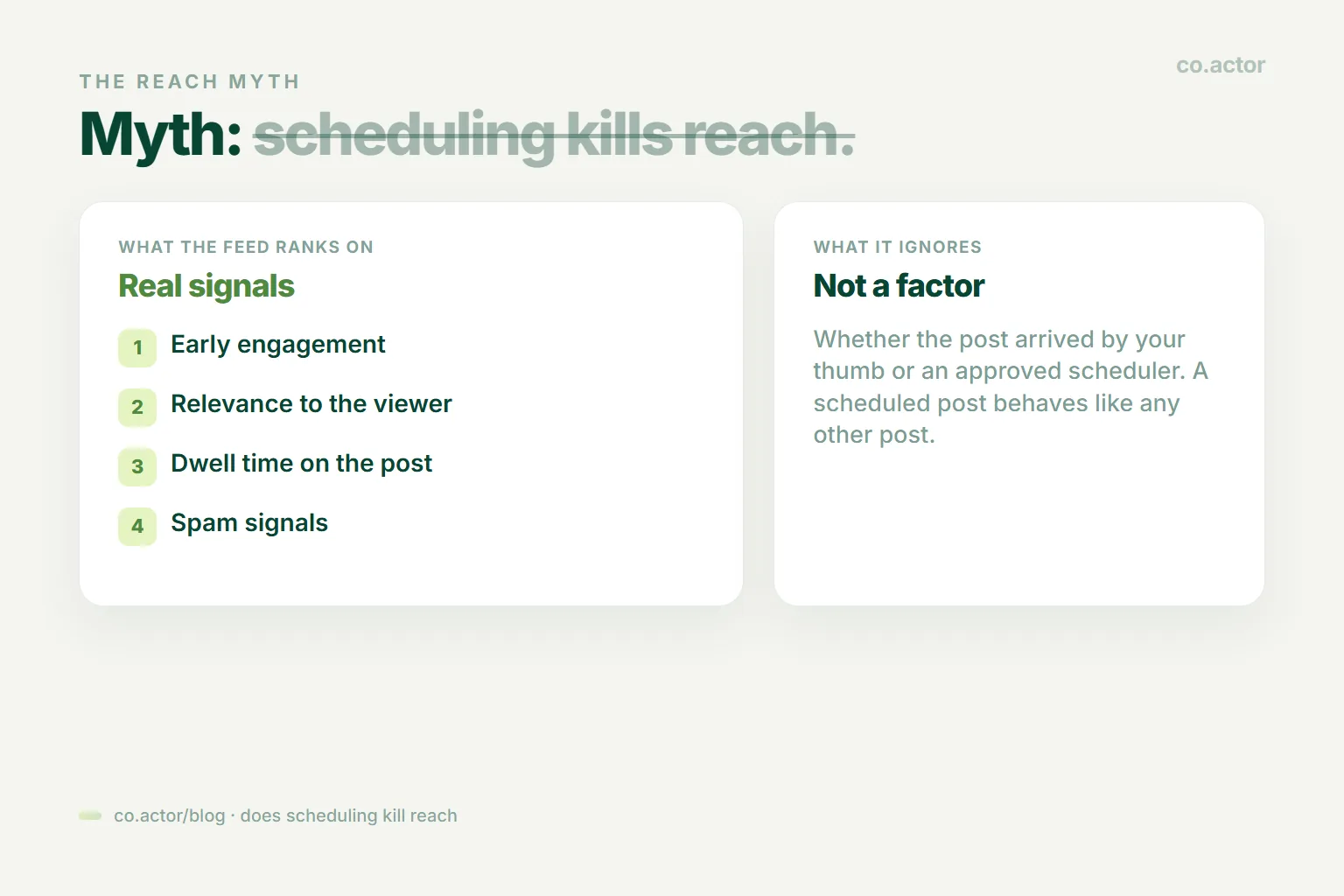
Here is what decides your reach: early engagement, how relevant the post is to the people seeing it, how long they linger on it, and spam signals. What the feed does not check is whether your post arrived by your thumb or through an approved scheduler. A post sent through the official system behaves like any other post.
Some people who post for a living feel like their scheduled posts do worse. That is a real feeling, but it is a hunch, not a rule, and it is usually explained by the content, the timing, or just the week, not the tool. Post consistently through a legitimate scheduler and you will not be punished for the scheduling. You might even do better, because consistency is the actual growth lever and a scheduler is what makes consistency survivable.
What Gets Your LinkedIn Account Restricted
If it is not scheduling and not AI drafting, what is the real danger? Two things, and neither is "automation" in the abstract.
The first is getting caught being a bot: auto-connecting, auto-DMing, scraping. The rule has not changed, but the way LinkedIn spots you has gotten sharp. It studies your behavior and reads the fingerprint of your browser, watching for the tells of a machine:
- Volume and speed. Far more requests, visits, or messages than a human could do.
- Robotic regularity. Actions at perfectly even intervals, all day, no sleep.
- Copy-paste at scale. The same message fired at hundreds of people.
- Machine fingerprints. Automated browsers, extensions injecting code, many sessions from many countries at once.
2026 saw real crackdowns, whole waves of these tools getting their users restricted. The ones that came through untouched were the tools that went through LinkedIn's official connection and never pretended to be human in the first place.
The second danger is being a spammer, even by hand. This is the part people miss. If you blast a generic pitch to five hundred strangers, it makes no difference whether a bot sent it or you typed it yourself. Low acceptance and "mark as spam" clicks set off the same alarms and wreck the same reputation. Automation just lets you be spammy faster. The spam was always the real problem, not the automation.
The Risk Ladder: How LinkedIn Enforcement Escalates
People imagine crossing the line means an instant permanent ban. For most, it does not work like that. LinkedIn escalates, and you usually get warnings first.
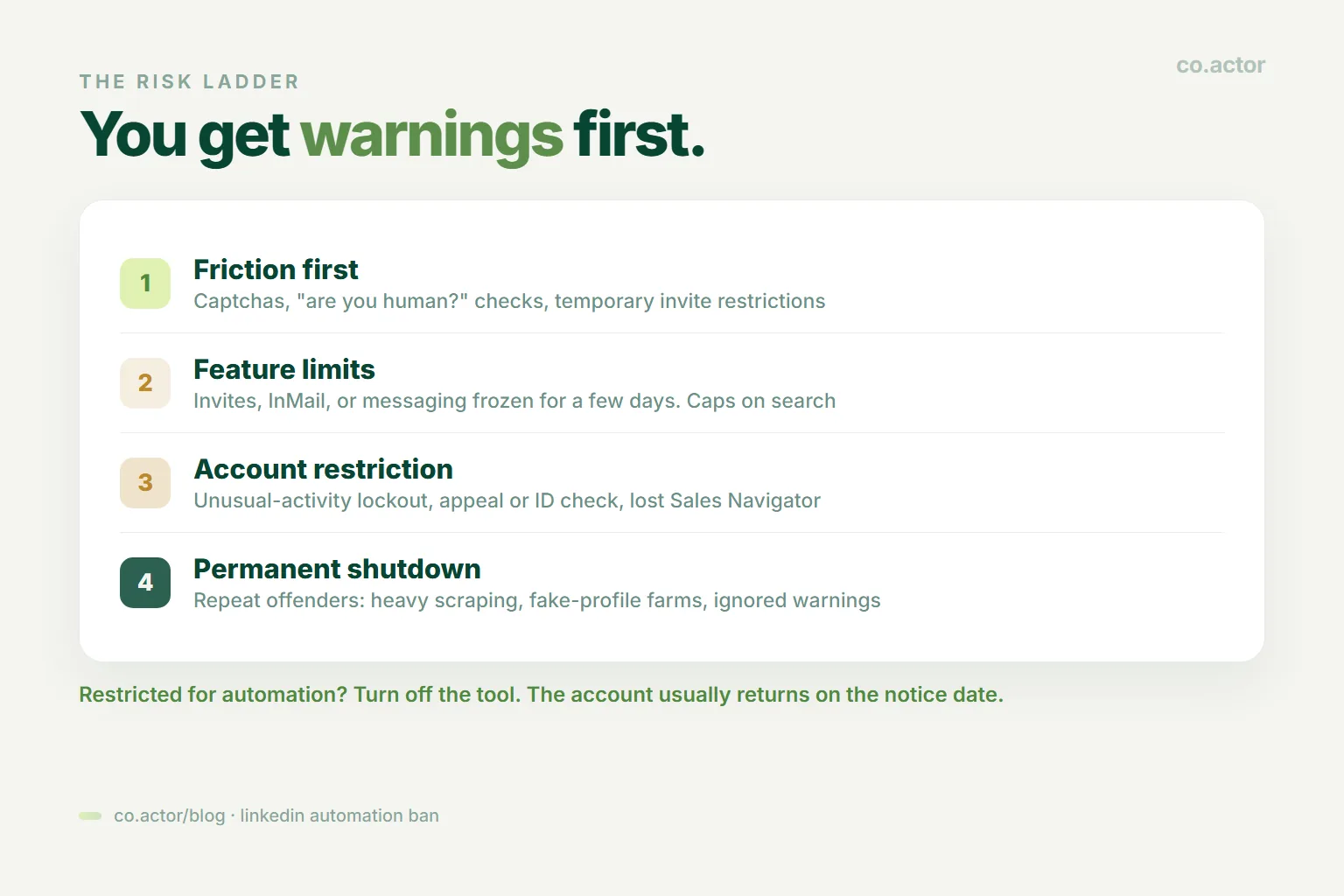
- Friction first. Captchas, "are you a human?" checks, a sudden "you're temporarily restricted from inviting people" banner.
- Feature limits. Invites, InMail, or messaging frozen for a few days. Caps on searches and profile views.
- Account restriction. An "unusual activity" lockout that makes you appeal or verify your ID. In worse cases, losing Sales Navigator or recruiter access.
- Permanent shutdown. Saved for repeat offenders and the worst cases: heavy scraping, fake-profile farms, ignoring every warning that came before.
There is good news buried in that ladder. If you get restricted for automation, LinkedIn's own instruction is usually to turn off the tool, and the account comes back at the time stated on the notice. The bad news: LinkedIn also warns that a banned tool can simply become non-operational without notice. So anything you built on top of a bot can vanish overnight, on their schedule, not yours.
One honest caveat on the numbers you will see online, like "stay under 30 invites a day" or "under 100 a week." Those are guesses from people in the field, not official LinkedIn limits. LinkedIn does not publish exact caps. The point behind them is right, which is go slow and stay human, but the exact number is made up.
How We Automate LinkedIn Safely
We are not neutral observers. We run LinkedIn for a living, and we automate plenty. Here is where we drew our own line, because it might save you some time.
For publishing, we schedule our own content through the official system. We write the posts, then set them to go out on time without one of us babysitting the app at 8am. It publishes our own content on our own schedule, which is the safe side of the line every time. No bot pretends to be us; it just posts what we already wrote. That is the whole idea behind an AI toolkit that does the making and the posting.
For the writing grind, there is a free, open-source toolkit, linkedin-skills by Sergei Bulaev. It is a set of AI helpers for the actual craft: a post writer with real opening-line formulas, a humanizer that strips out the tell-tale AI phrasing, a checker that scores a draft against current algorithm rules, a profile rewriter, a content planner. The idea built into it is the point: it drafts, and a human approves before anything goes out. Nothing posts on its own. Let the machine handle the blank page, and keep a person on the publish button.
Put together, that is the whole setup. The tools do the making and the posting. The connecting, the replying, the real conversations stay done by hand, because that is the part people can always tell. If you want the outreach side handled right, our cold DM strategy keeps those messages human and personalized.
Your LinkedIn Automation Checklist
- Audit your extensions. If you installed a browser tool that auto-connects, auto-messages, or "grows" your network while you sleep, that is the risky kind. Turn it off before it gets your account restricted.
- Set up one legitimate scheduler. Batch a week of posts. Consistency is the real growth lever, and this is how you make it survivable.
- Let AI draft, never publish. Use it to beat the blank page, then edit it into your voice and post it yourself. Keep a human on the button.
- Keep the human parts human. Connection requests, replies, comments, DMs. Do these yourself, at human speed, personalized. That is not the slow way. It is the only way that works.
Key takeaway
Frequently Asked Questions
Is LinkedIn automation against the rules?
Some of it. LinkedIn prohibits third-party software that scrapes data, modifies the appearance of the site, or automates activity on the site. That covers bots and extensions that auto-connect, auto-DM, auto-visit, auto-endorse, or scrape. The rules say nothing against scheduling your own posts or using AI to help write.
Does scheduling posts hurt your LinkedIn reach?
No. There is no official penalty and no credible 2026 data. The feed ranks on early engagement, relevance, dwell time, and spam signals, not on whether a post came from your thumb or an approved scheduler.
Can you get banned for LinkedIn automation?
Yes, for the bot kind. Enforcement usually escalates: friction (captchas), feature limits, account restriction, then permanent shutdown for repeat or severe cases. If you get restricted, turning off the tool is usually the first fix.
Is it safe to use AI to write LinkedIn posts?
Yes. There is no rule against AI writing. The rules govern how you act on the site, not how your words got written. Keep a human editing the draft and clicking publish.
Are daily connection limits like 30 a day official?
No. Numbers like "under 30 invites a day" are practitioner guesses, not published LinkedIn caps. The principle (go slow, stay human) is right, but the exact figure is made up.
What is the difference between a bot and a tool?
One question. Does the software act on LinkedIn as if it were you, by connecting, messaging, or scraping? That is a bot. Does it help you create or organize content while you publish? That is a tool.
Automate the grind, keep the relationships human
Serge Bulaev is the CEO and founder of Co.Actor, a LinkedIn growth platform for B2B founders and their teams. He writes about content systems, profile positioning, and how the LinkedIn algorithm rewards modern creators.
Sources
- LinkedIn Help: Automated activity on LinkedIn
- LinkedIn Help: Prohibited software and extensions
- linkedin-skills, an open-source AI toolkit by Sergei Bulaev
Related Reading
Written by
