TL;DR
- Viral on LinkedIn means 100,000+ impressions — but the metric that matters is whether those impressions come from your ICP, not a random audience
- The hook is 80% of the outcome — the first 210 characters before "See more" determine whether anyone reads the rest
- Carousels achieve 21.77% median engagement — nearly 3x higher than video and 7x higher than text-only
- The golden window is your first 60 minutes — LinkedIn shows your post to 2-5% of your network as a test; what happens in that window determines everything
- Saves are the most valuable engagement signal — worth 5-10x more than a like algorithmically; fewer than 3% of posts receive them
- External links in the post body reduce reach 25-40% — always put links in the first comment
- Top creators hit virality on 5-15% of posts — virality isn't an every-post goal, it's a batting average you improve over time
What "Viral" Actually Means on LinkedIn in 2026
Most LinkedIn posts reach 500 people and die. A small number reach 500,000. The difference isn't luck — it's structure. And structure is learnable.
A viral LinkedIn post is widely considered one that exceeds 100,000 impressions with more than 500 reactions. But that definition misses what actually matters for B2B professionals.
Viral with the wrong audience is useless. A post about your morning routine might reach 200,000 people — mostly job seekers and LinkedIn enthusiasts who will never buy your product. A post about a specific B2B problem that reaches 40,000 decision-makers in your exact ICP is worth ten times more.
LinkedIn virality works differently from other platforms. On TikTok or Instagram, virality flows from broad entertainment value. On LinkedIn, virality is precision-targeted relevance distribution. The algorithm identifies the professional cohorts most likely to find your content valuable — and distributes to people like your early engagers, not to the broadest possible audience.
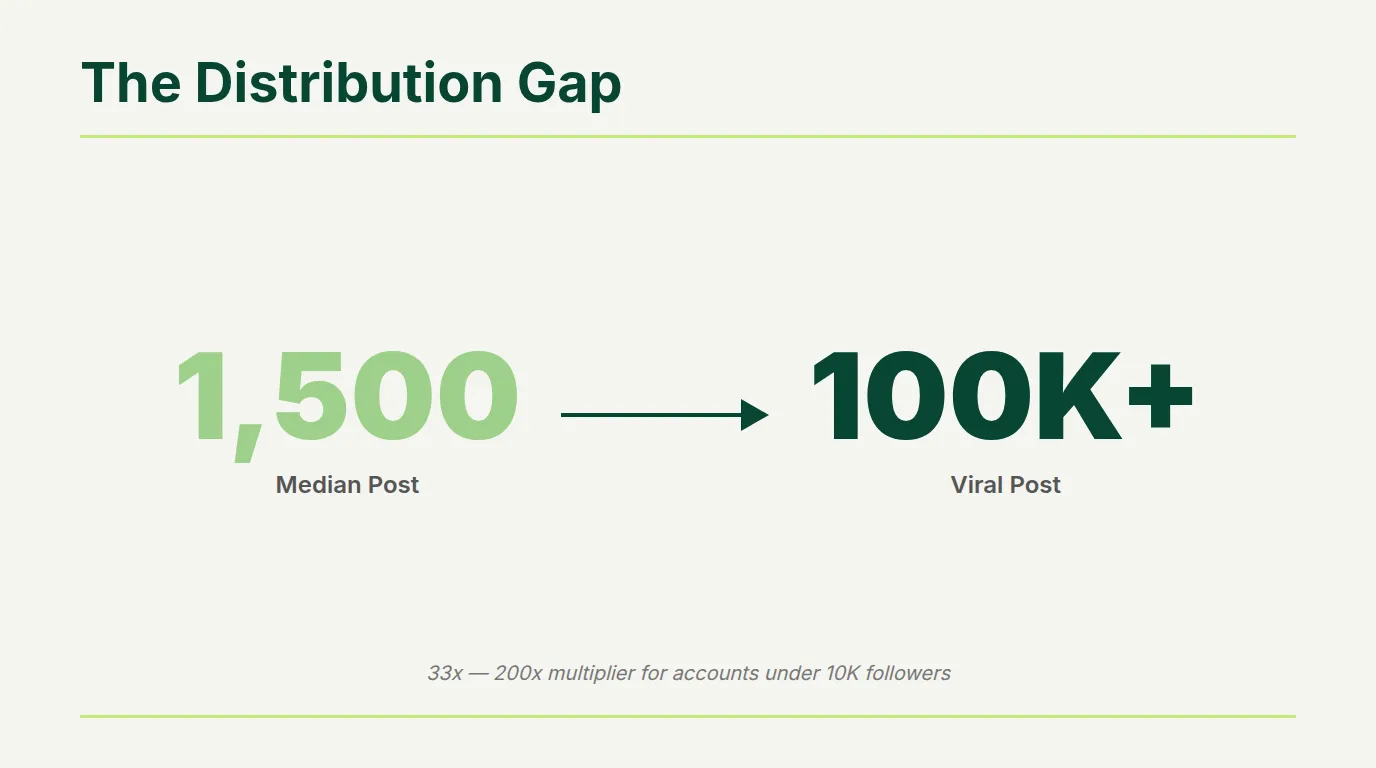
The numbers: the median LinkedIn post reaches approximately 1,500 impressions for accounts under 10,000 followers. Viral posts from the same accounts reach 50,000 to 300,000 impressions — a multiplier of 33x to 200x median. (Richard van der Blom, 2025 Algorithm Report)
This means virality on LinkedIn is accessible to niche accounts. You don't need to appeal to everyone. You need to appeal deeply to the right people. As we covered in the Personal Brand Playbook, finding your niche is the foundation everything else builds on.
Key Takeaway: Don't measure virality by raw impressions. A post reaching 40,000 ICP decision-makers outperforms a post reaching 200,000 random people. LinkedIn's algorithm distributes to professional cohorts — not mass audiences.
The 4-Part Structure Every Viral Post Uses
Analysis of high-performing LinkedIn posts across B2B creators reveals a consistent four-part architecture. The posts look different on the surface — different industries, tones, topics — but their underlying LinkedIn post structure follows the same pattern.
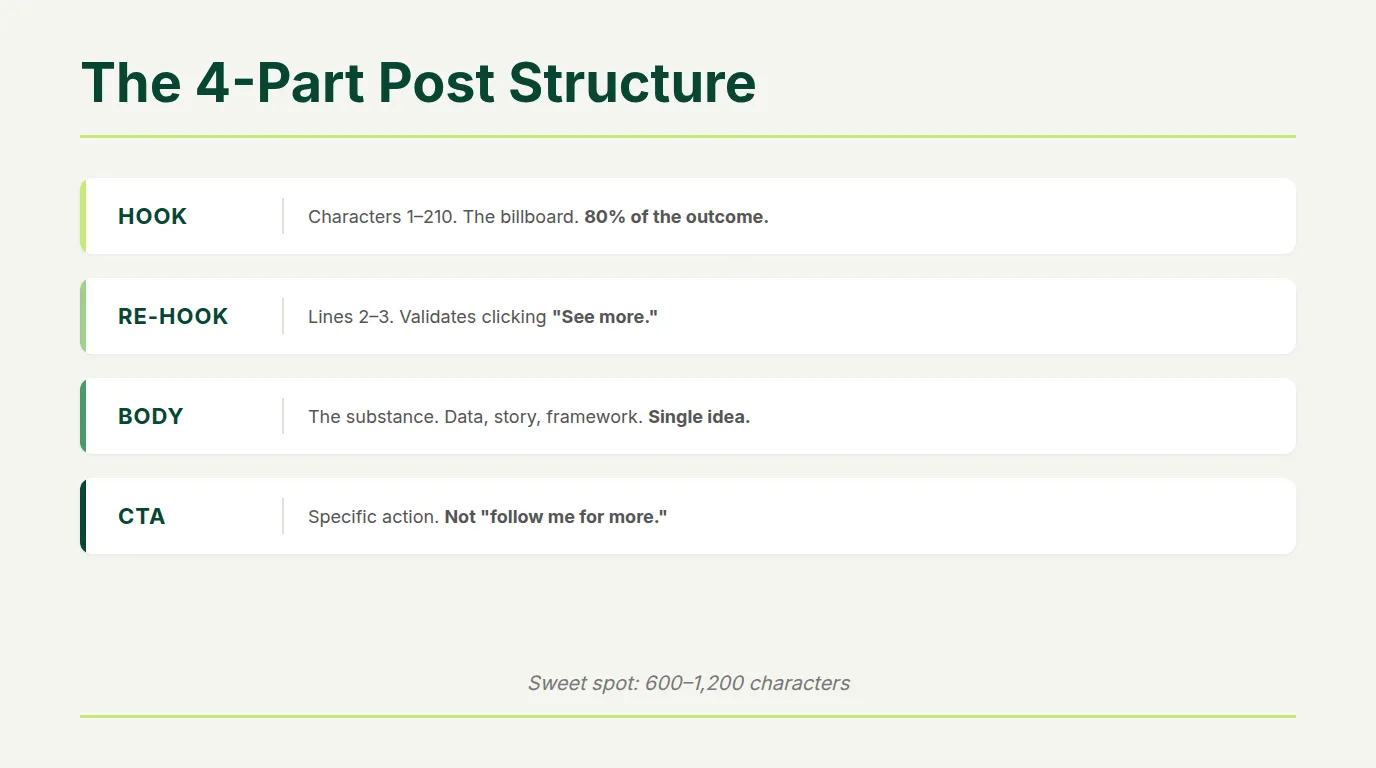
Part 1: The Hook (characters 1-210)
The first 210 characters before LinkedIn's "See more" cutoff. This is the billboard. Everything that happens after depends on whether this part stops the scroll. Research shows an effective hook increases reader retention by up to 30%. (Social Media Today, 2024)
Part 2: The Re-Hook (lines 2-3)
Immediately after the hook — a sentence or two that validates the reader's decision to click "See more." It extends the tension, adds evidence, or raises the stakes. Posts without a re-hook lose a significant portion of readers in the three seconds after they click.
Part 3: The Body (the substance)
The part that delivers actual value: data, story, framework, or insight. Formatted for mobile with deliberate line breaks. Structured around a single primary idea — not five loosely connected points.
Part 4: The CTA (the close)
A specific call to action. Not "follow me for more." Something that drives meaningful engagement: "Comment your biggest challenge with X," "Save this for your team," or a question that invites genuine responses.
The 600-1,200 character sweet spot for viral posts isn't arbitrary. It's long enough to build narrative tension and deliver substance, short enough that most mobile readers will read the full post. Posts over 1,500 characters see declining "See more" click-through. Posts under 300 characters lack the specificity that drives engagement. (SocialInsider, 2025)
The Hook: 7 Types That Stop the Scroll
The hook is where virality begins or dies. The first 210 characters before "See more" determine whether your LinkedIn hooks convert scrollers into readers. Seven hook formulas appear consistently across viral posts from B2B creators.
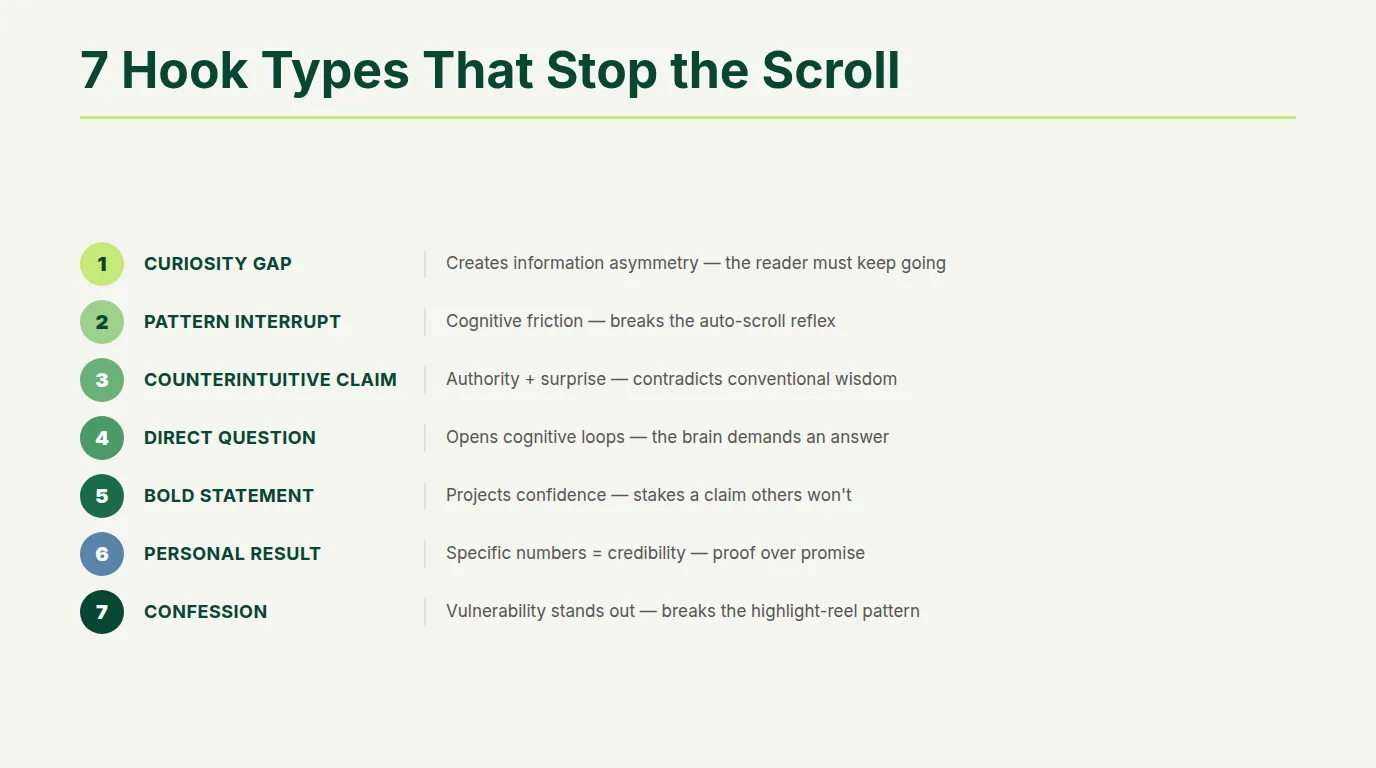
| Hook Type | How It Works | Example |
|---|---|---|
| Curiosity Gap | Creates information asymmetry — reader needs to know the answer | "I discovered why 87% of LinkedIn outreach fails. The reason surprised even me." |
| Pattern Interrupt | Contradicts expected professional communication — creates cognitive friction | "Forget everything you know about LinkedIn. It's simpler than experts claim." |
| Counterintuitive Claim | Combines authority with surprise — positions insider knowledge | "LinkedIn engagement drops when you post more than once per week." |
| Direct Question | Creates open cognitive loops — brain seeks to close them | "Are you still measuring LinkedIn success by follower count?" |
| Bold Statement | Projects confidence — makes readers want to know what you know | "Most LinkedIn advice is written by people who don't use LinkedIn." |
| Personal Result | Specific numbers create credibility — vague claims don't stop scrolls | "$0 to $500K in 18 months. Here's the exact breakdown." — Justin Welsh |
| Confession | Vulnerability stands out in a feed of polished professional content | "I've been doing content marketing wrong for three years." |
What kills hooks: generic openings ("LinkedIn is important for professionals"), engagement bait ("Comment YES if you agree" — actively penalized), multiple unrelated ideas in the first line, preamble before the actual hook, and vague promises.
Key Takeaway: Write the hook first, body second. If you wouldn't click "See more" on your own first line — rewrite it before touching anything else. The hook is 80% of whether anyone reads the rest.
Format Is Half the Battle
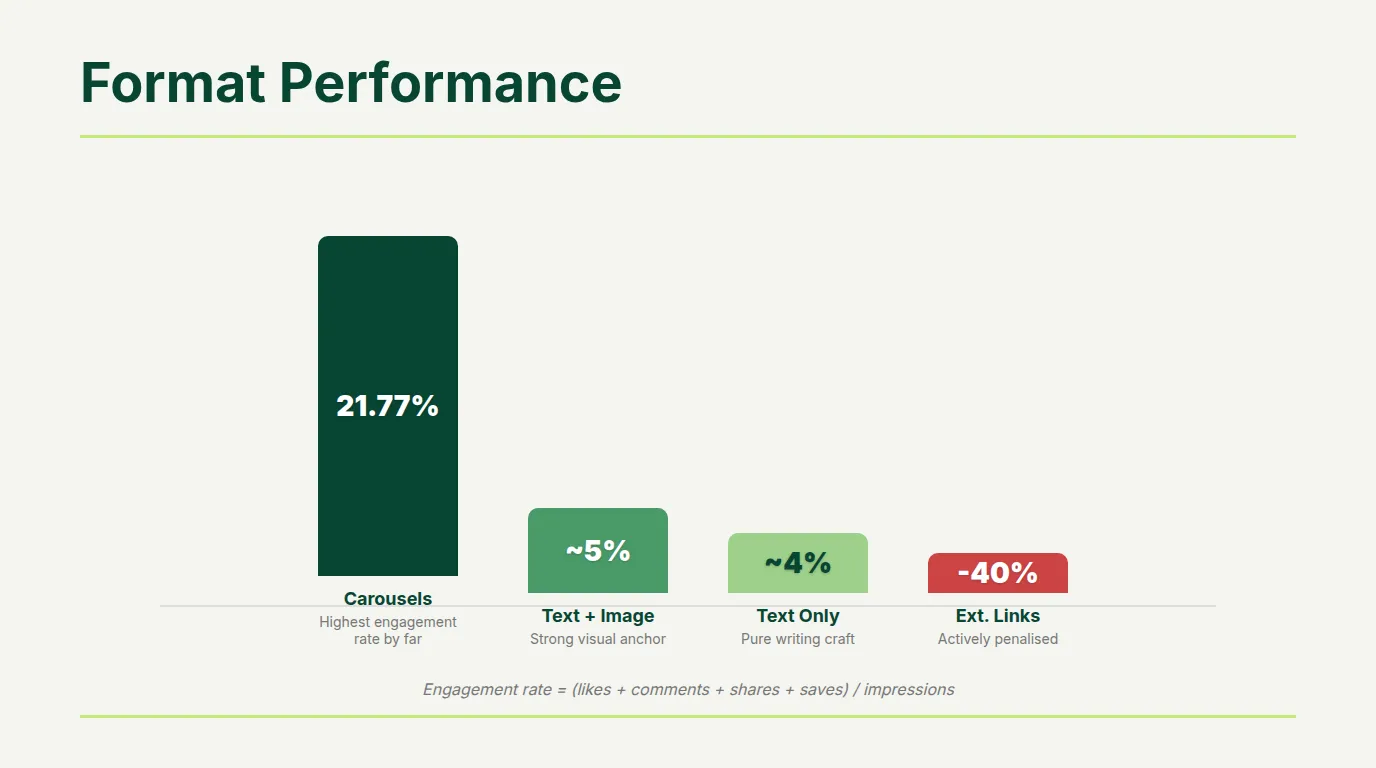
The format you choose determines your baseline probability of viral performance before you write a single word.
| Format | Engagement | When to Use |
|---|---|---|
| Carousels / Documents | 21.77% median | Frameworks, comparisons, step-by-step breakdowns. Every swipe extends dwell time. |
| Text + image | ~4-6% | Your practical default. Image must reinforce the post — a chart, a stat visual, context. |
| Text only | ~3-4% | When the writing is strong enough to stand alone. Better than a post with a disconnected image. |
| Video | Declining | Specific moments only — product demos, face-to-camera reactions. Captions mandatory. |
| External links | -25-40% reach | Never in post body. Always in first comment, pinned. |
The data is clear: carousel posts achieve 21.77% median engagement — nearly 3x higher than video and 7x higher than text-only. Every swipe through a carousel extends dwell time, and dwell time is one of the strongest distribution signals LinkedIn tracks. (SocialInsider, 2025)
Format performance data from the LinkedIn for Founders playbook confirms this hierarchy. For a deeper dive into content formats, see the Engagement Playbook.
The Visual Hook: Stopping the Scroll Before They Read a Word
On mobile — where 72% of LinkedIn activity happens — the visual loads first. By the time a user reads your opening line, they've already decided whether your post is worth stopping for based on what they see. The visual is the real first hook. The text hook is second.
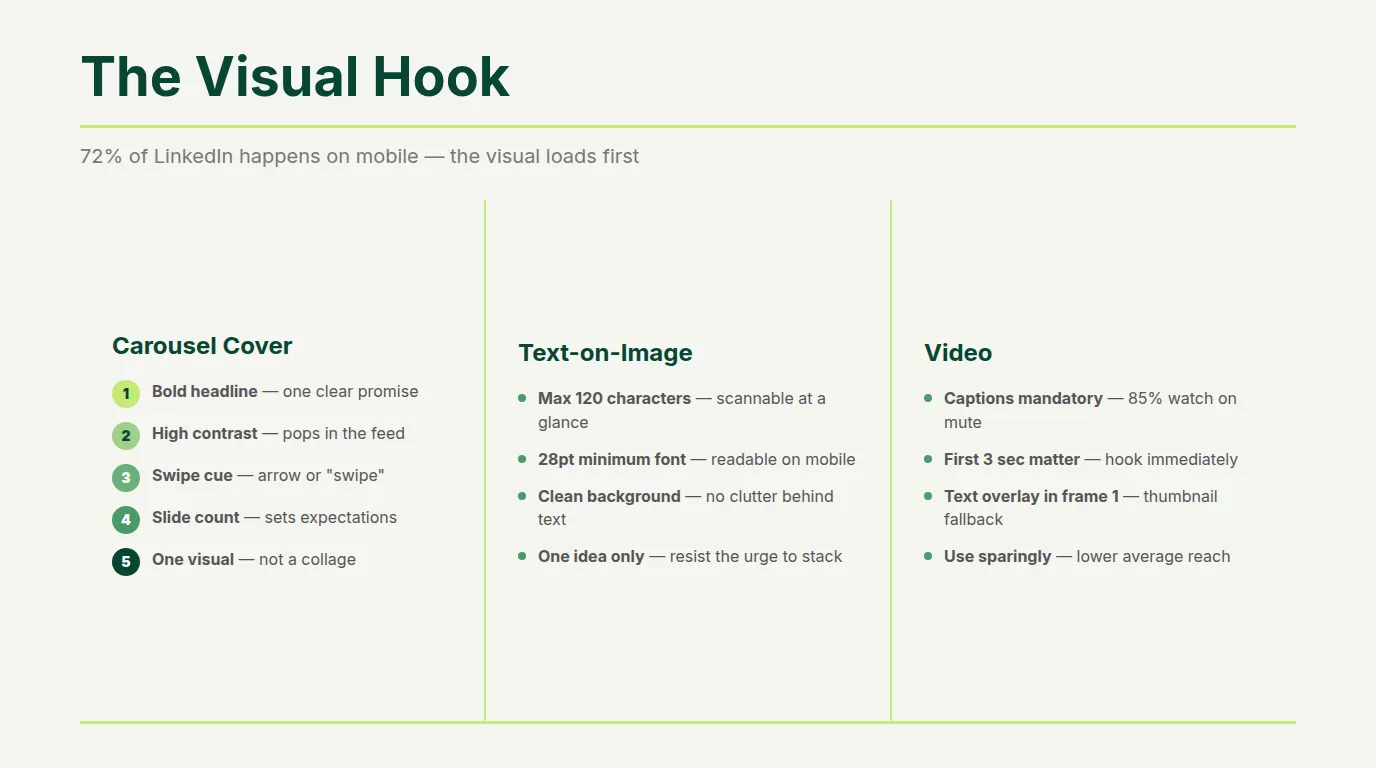
Carousel Covers: The 5 Elements
- Bold 5-7 word headline — readable at thumbnail size without zooming
- High visual contrast — dark text on light background or reverse
- Swipe indicator — right-pointing arrow or "swipe" cue
- Slide count (e.g. "1/8") — signals structured, finite content
- One visual element — a stat callout, icon, or clean image. Not a collage.
Images: Text-on-Image Beats Photo-Only
Bold text overlay on a clean background consistently outperforms photo-only images. Two or three lines on an image — a key stat, a contrarian claim, a single insight — stops the scroll in a way a decorative stock photo never does. Keep it to maximum 120 characters, font large enough to read without clicking.
5 Design Rules for Non-Designers
- Font size minimum: 28pt for mobile. If it requires zooming, it won't be read.
- Two colors maximum per slide. Brand background + high-contrast text is enough.
- One concept per slide. Carousels that pack everything onto each slide lose readers.
- Whitespace is not wasted space. Breathing room signals quality.
- Test at thumbnail size. Screenshot to phone size — what looks clear at full resolution is often unreadable at feed size.
How the Algorithm Decides to Amplify Your Post
The LinkedIn algorithm operates through two sequential evaluation stages. Understanding both changes how you approach every post.
Stage 1: The Retrieval Gate
Within one minute of posting, an LLM-based filter evaluates your post. Posts that pass become eligible for distribution. Posts that fail receive minimal reach regardless of quality. The gate filters for content quality, authenticity, and relevance to the author's established expertise. AI-generated text, generic advice, and content contradicting the author's documented topic area fail at higher rates. (LinkedIn Engineering)
Stage 2: The Golden Window
Your post is shown to approximately 2-5% of your network as a test audience. What happens in the first 60-90 minutes determines whether your post stays within your circle or expands to second and third-degree connections.
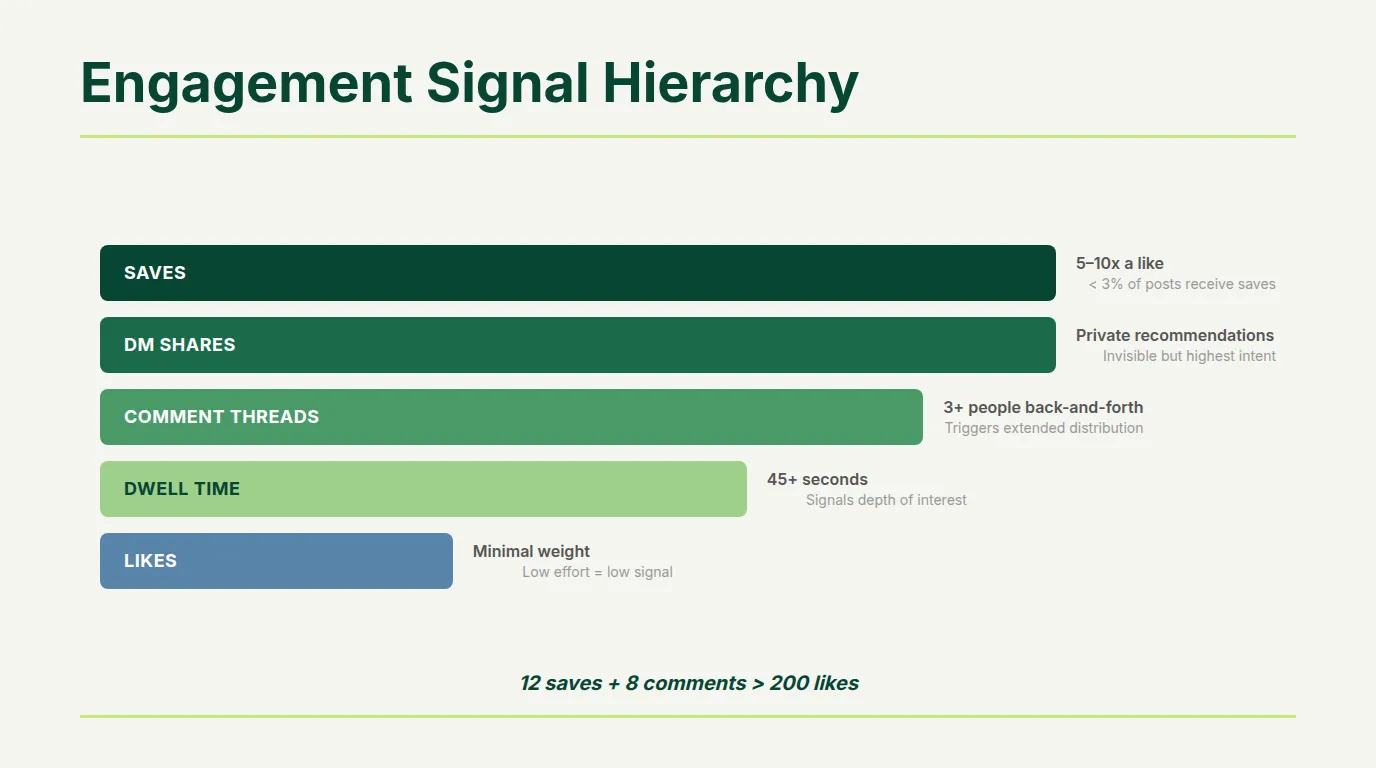
| Signal | Algorithmic Weight | Why It Matters |
|---|---|---|
| Saves | 5-10x a like | Fewer than 3% of posts receive them. Strongest quality signal. |
| DM shares | Very high | Someone found your content worth sending in a private conversation. |
| Comment threads | High | 3+ people in back-and-forth exchange triggers amplification. |
| Substantive comments | High | 10+ word comments carry significantly more weight than reactions. |
| Dwell time | High | 45+ seconds dramatically outperforms. Most important passive signal. |
| Likes | Minimal | Least valuable signal. A post with 12 saves beats 200 likes. |
The critical implication: a post with 12 saves and 8 substantive comments outperforms a post with 200 likes. Most founders optimize for the wrong signals. As we showed in the Sales Playbook, the metrics that drive pipeline are not the metrics that look impressive on a dashboard.
Key Takeaway: Stop optimizing for likes and impressions. Saves, DM shares, and substantive comments are the signals that trigger algorithmic amplification. If your content gets lots of likes but few saves — the content is entertaining but not valuable enough to reference later.
The Golden Hour: What to Do After You Post
Publishing the post is not the end. The first 60-90 minutes are the period where you can most directly influence distribution.
Respond to every substantive comment within the first hour. Authors who respond to early comments within 90 minutes see 30-35% higher visibility lift. When you respond, the original commenter often returns — generating additional dwell time. When you add value in your response (not just "Thanks!"), other readers stay in the thread.
Engage with replies, not just likes. A genuine response is worth more algorithmically than liking comments. The engagement loop — author responds, commenter returns, thread deepens — triggers expanded distribution.
Don't edit the post body. Substantial changes after initial distribution reset the engagement signals, making further amplification less likely.
Put the link in the first comment and pin it. If your post references a resource, post the link as the first comment immediately and pin it. Readers get the link without the post body taking a reach penalty.
What Kills Virality: The Confirmed Penalties
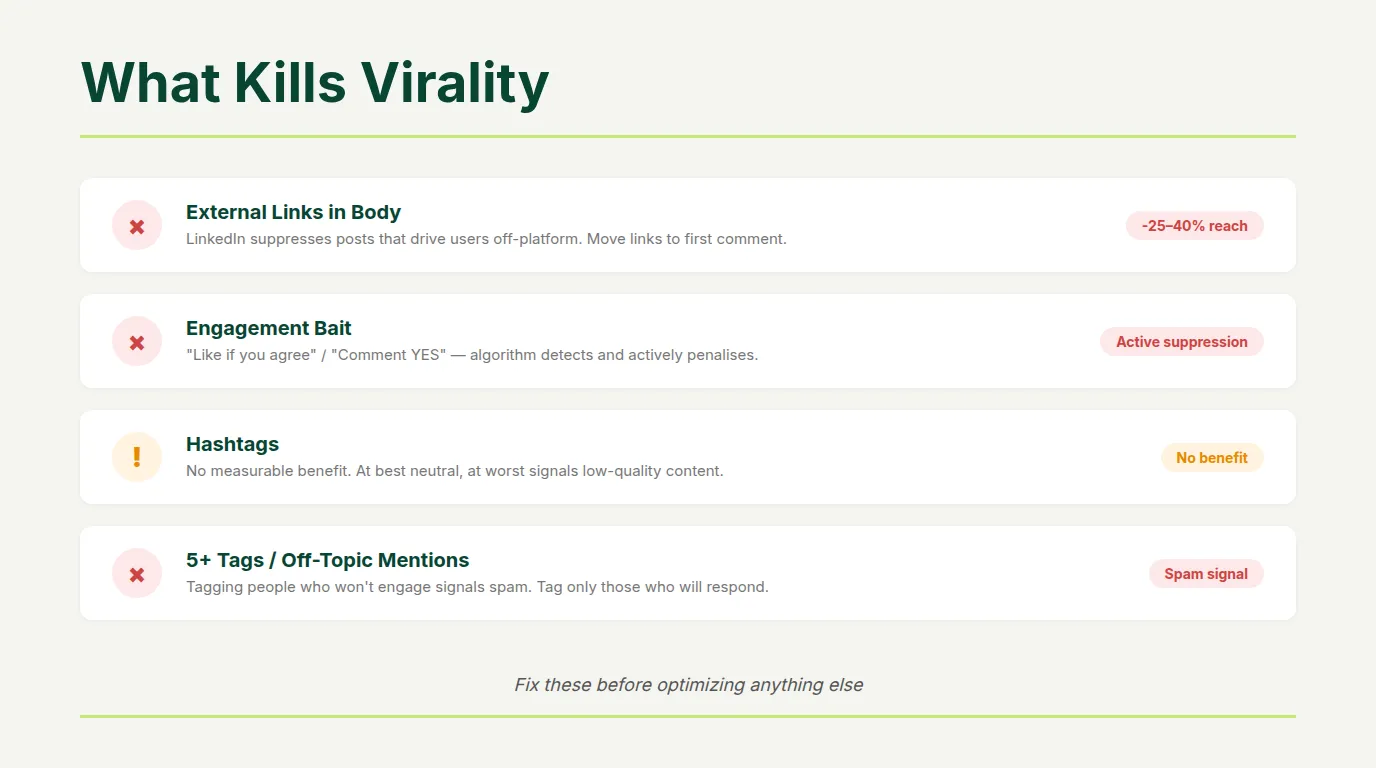
Understanding what suppresses distribution is equally important as understanding what amplifies it.
External Links in Post Body
Reduce reach by 25-40%. LinkedIn deprioritizes posts that direct users off-platform. Always put links in the first comment.
Engagement Bait
"Comment YES if you agree" triggers active algorithmic suppression. This includes coordinated engagement pods, which were effective in 2022-2023 but now result in reach penalties.
Hashtags
Don't use them. LinkedIn removed the ability to follow hashtags. Adding them doesn't drive distribution — it just clutters the post.
Tagging: The Real Rules
- Maximum 4 tags per post. More takes algorithmic risk without upside.
- Only tag people you know will engage. If unsure, message them before posting.
- Don't tag companies. Most company pages are managed by agencies ignoring engagement. Reference them in text instead.
- Don't tag celebrities or mega-influencers. They're not coming. Zero upside, potential spam signal.
Generic or AI-Generated Content
LinkedIn's algorithm explicitly detects templated, non-specific content and reduces distribution. The proliferation of AI-assisted posting has made the algorithm more aggressive. Distinctive voice and specific examples are not stylistic preferences — they're algorithmic requirements. As covered in LinkedIn for Founders, AI-first content underperforms by 40-50%.
Off-Topic Posts
If you're known for SaaS insights and post about parenting, the algorithm notes the mismatch and restricts distribution. Topic consistency builds what researchers call "topic authority" — a signal that compounds over time.
Key Takeaway: The fastest way to kill a post's potential is putting a link in the body, using engagement bait, or posting off-topic. These aren't minor penalties — they can cut your reach in half before the content quality even matters.
The Batting Average: Can Virality Be Engineered?
The answer from the data: not guaranteed, but systematically improvable.
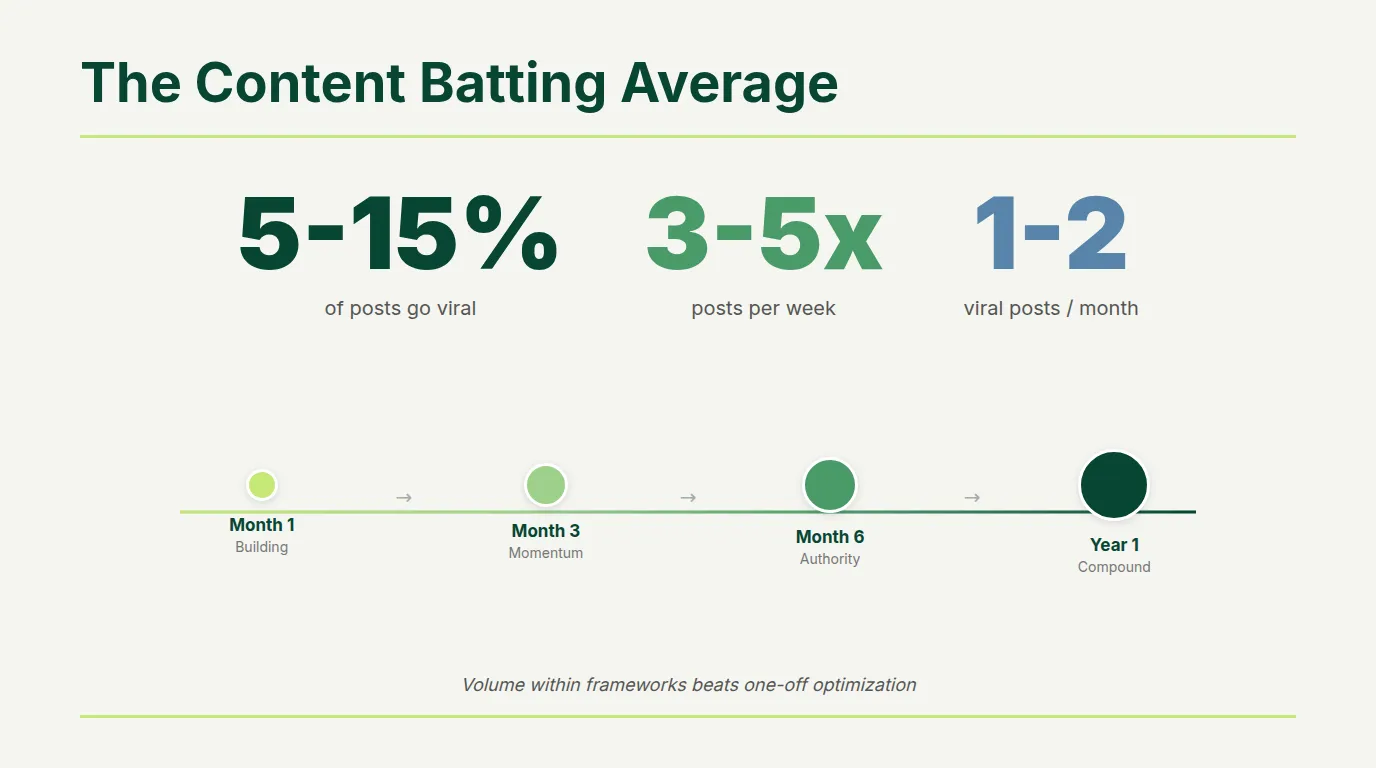
Creators who consistently achieve viral performance don't hit it on every post. They hit it on 5-15% of posts when posting 3-5 times per week. That means 1-2 viral posts per month from consistent, quality output — not a viral post every time they publish.
Justin Welsh (800,000+ followers, $12M+ in revenue) builds on specific repeatable frameworks, not chasing individual viral moments. Lara Acosta (270,000+ followers) structures every post within consistent templates. Richard van der Blom publishes systematic algorithm research that consistently generates tens of thousands of reactions. (Justin Welsh)
The pattern: volume within frameworks beats one-off optimization.
The algorithm builds topic authority over time — consistent posting within a specific domain for 60+ days develops an expertise reputation that the algorithm uses to distribute future posts more aggressively. This is why founders who post consistently for 90 days in a niche start seeing unexpectedly high reach on posts that wouldn't have broken through in month one.
A founder posting 3x per week, with 5-10% of posts going viral, produces a viral post every 2-4 weeks. That cadence, sustained over 12 months, fundamentally changes your market presence. The Personal Brand Playbook timeline applies: compound consistency over months delivers exponential results.
The Uncomfortable Truth
Most LinkedIn advice tells you to "be authentic" and "provide value." That's true, but it's incomplete.
Authenticity without structure doesn't get distributed. Value without a hook doesn't get read. Great content that arrives in a format the algorithm can't amplify disappears in six hours.
The viral post formula isn't about gaming the system. It's about understanding how the system works and building content that the algorithm wants to share because readers actually want to read it.
If you're posting consistently on LinkedIn and not seeing results — the problem is almost never the quality of your thinking. It's usually the structure, the format, or the hook. Fix those three things before assuming the content itself is the issue.
Turn Structure Into Pipeline — Without the Daily Grind
You now know the exact anatomy of posts that reach 100,000+ people. The hooks, the structure, the formats, the algorithm mechanics. What you need next is a system to apply it consistently.
Co.Actor was built for exactly this. It learns how YOU write — not generic AI templates, but your actual tone, vocabulary, and perspective. It generates post ideas structured around the frameworks that work, pre-formatted for maximum engagement.
5-10 post ideas every morning. Perfect for individual founders and employee advocacy programs. Users see 3x engagement increase in month one.
No credit card required. Full access to all features.
Your Action Items This Week
- Audit your last 10 posts — read only the first line of each. Would you click "See more"? If not, that's where the problem is.
- Rewrite your next post hook using one of the 7 formulas before writing anything else. The hook first, body second.
- Switch one text post to carousel format — pick your best-performing text post from the last 60 days and rebuild it as a 6-8 slide carousel.
- Remove all external links from post bodies — put them in first comments going forward.
- Set a 90-minute timer after your next post and respond to every substantive comment before the timer ends.
Frequently Asked Questions
What makes a LinkedIn post go viral?
Viral posts share a 4-part structure: a hook (first 210 characters), re-hook, body with genuine value, and specific CTA. Carousels achieve 21.77% median engagement. The algorithm amplifies based on saves, DM shares, substantive comments, and dwell time during the first 60-90 minutes.
How many impressions is considered viral on LinkedIn?
Generally 100,000+ impressions with 500+ reactions. The median post reaches 1,500 impressions for accounts under 10K followers. Viral posts reach 50,000-300,000 — a 33x to 200x multiplier. But 40,000 ICP impressions beats 200,000 random ones.
What is the best format for viral LinkedIn posts?
Carousels at 21.77% median engagement, nearly 3x video and 7x text-only. Text + relevant image is the practical default. External links in the body reduce reach 25-40%. The 600-1,200 character sweet spot works best for text.
How important is the first line of a LinkedIn post?
The hook is 80% of the outcome. Seven proven formulas: curiosity gap, pattern interrupt, counterintuitive claim, direct question, bold statement, personal result with specific numbers, and the confession. An effective hook increases retention by 30%.
What engagement signals does the LinkedIn algorithm value most?
Ranked: Saves (5-10x a like), DM shares, multi-person comment threads (3+), substantive comments (10+ words), dwell time (45+ seconds), then likes (minimal). A post with 12 saves and 8 comments outperforms 200 likes.
What kills LinkedIn post reach?
External links in body (-25-40%), engagement bait (active suppression), hashtags (no benefit), tagging 5+ people who don't engage, AI-generated generic content, and off-topic posts that break topic authority.
Can you consistently create viral LinkedIn posts?
Top creators hit virality on 5-15% of posts at 3-5x per week — 1-2 viral posts per month. Volume within frameworks beats one-off optimization. Topic authority builds over 60+ days of consistent niche posting.
What should you do in the first hour after posting on LinkedIn?
Respond to every substantive comment (30-35% higher visibility lift). Give genuine responses, not just likes. Put links in first comment and pin. Don't edit the post body — changes reset engagement signals.
Sources & References
- Richard van der Blom — 2025 LinkedIn Algorithm Insights Report — 1.8M posts analyzed, viral thresholds, format data
- SocialInsider — LinkedIn Benchmarks Report 2025 — Carousel 21.77% engagement, post length data
- LinkedIn Engineering — Feed Ranking and Dwell Time Research — Retrieval gate, dwell time signals
- Justin Welsh — The Self-Operating Company — 800K+ followers, repeatable frameworks
- Buffer — LinkedIn Post Timing Analysis, 4.8M Posts — Posting timing optimization
- Social Media Today — Hook Effectiveness Study 2024 — 30% retention increase from effective hooks
- Lara Acosta — LinkedIn Content Strategy — 270K+ followers, template-based approach
Written by
