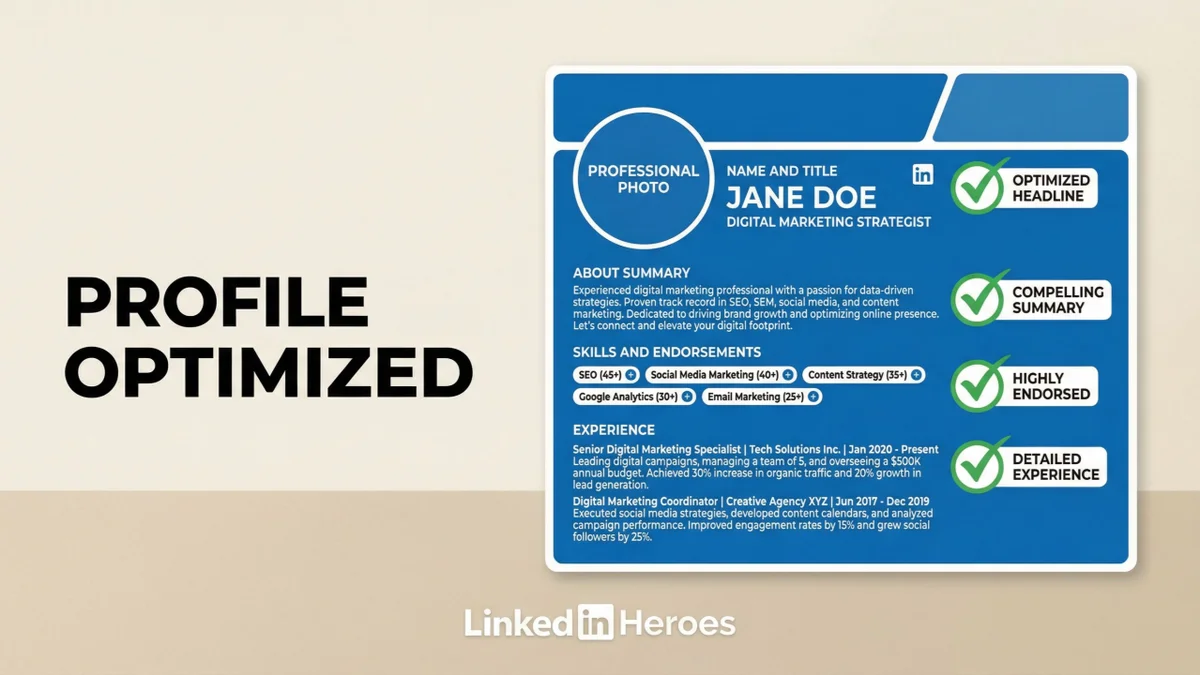
TL;DR
80% of LinkedIn profiles have broken Featured sections, and most headlines still use job titles instead of value propositions. This guide covers a 9-section profile optimization framework: banner, headline (use "I help [audience] achieve [result]"), About (first 2 lines are critical), Featured (pin top content), Experience, Skills, Recommendations, Activity, and Creator Mode. A fully optimized profile converts visitors 3-5x better than a default one.
Welcome back to LinkedIn Heroes.
Last issue, we decoded the algorithm. Now let's fix the foundation: your profile.
Here's an uncomfortable truth:
Your LinkedIn profile is probably working against you.
80% of profiles have broken or empty Featured sections. Most headlines just state a job title. About sections read like resumes from 2015.
And the data shows exactly what this costs you:
- Profiles with optimized About sections get 3.9x more views
- Candidates with comprehensive profiles are 71% more likely to land interviews
- Adding 5+ skills makes you 3x more likely to receive connection requests
Your profile isn't a digital resume. It's a 24/7 salesperson. And right now, yours is probably asleep.
Today, I'm breaking down every section of your LinkedIn profile - what matters, what doesn't, and the exact changes that drive results.
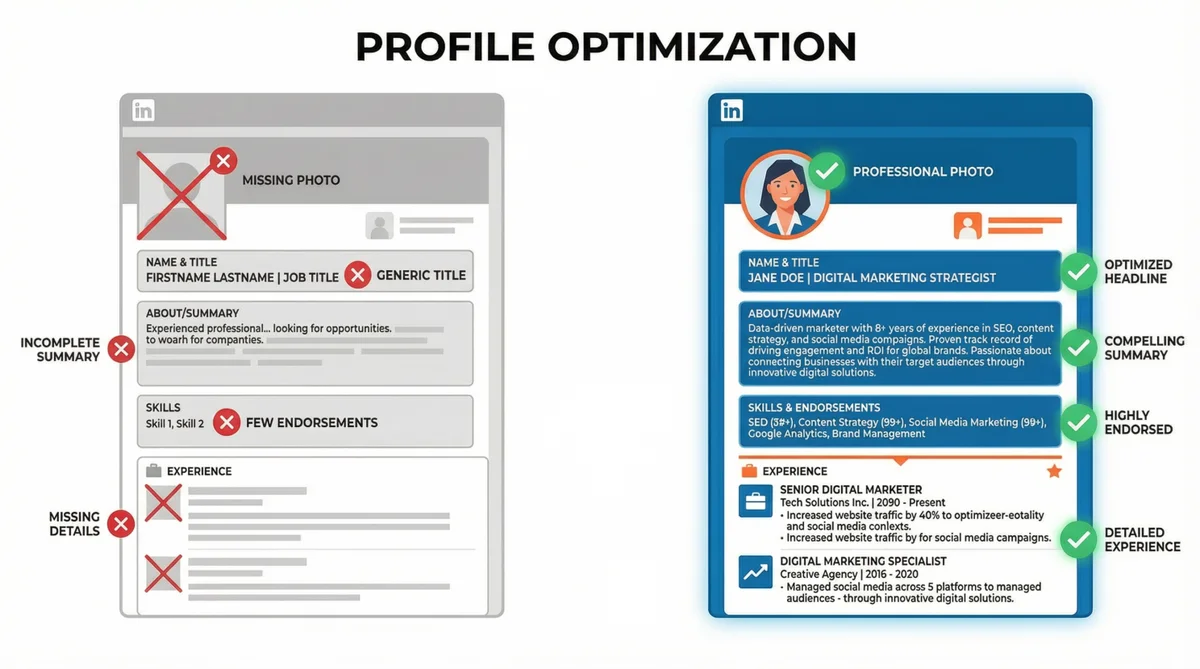
The Profile Framework
Think of your profile as a funnel with one job: convert visitors into connections, clients, or opportunities.
Every element serves this goal:
- Photo & Banner → First impression (do they stay or scroll?) — research shows profile photos reveal personality traits within milliseconds
- Headline → Value proposition (why should they care?)
- About → Your story (can they trust you?)
- Featured → Proof (do you deliver results?)
- Experience → Credibility (have you done this before?)
- Skills → Searchability (can recruiters find you?)
Let's optimize each one.
1. Profile Photo: The 60% Rule
Your photo is the first thing people see. Get it wrong, and nothing else matters. Interestingly, cognitive research shows we're actually bad at selecting our own photos — unfamiliar others consistently choose more favorable images of us than we pick ourselves.
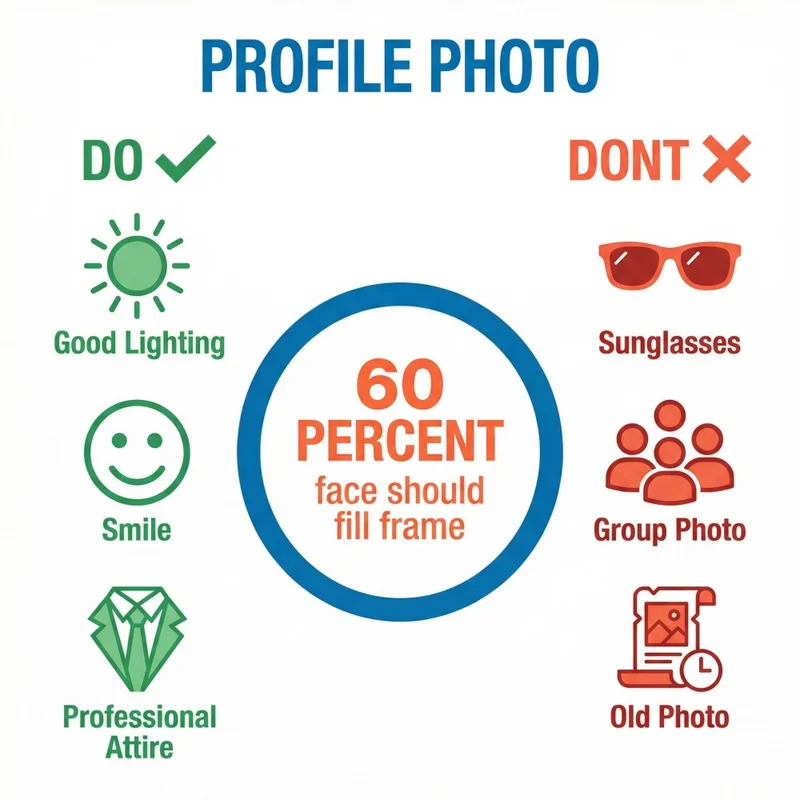
The technical requirements:
- Minimum: 400 x 400 pixels
- Your face should fill 60% of the frame
- Update every 2-3 years
What actually works:
- Natural lighting (near a window, not harsh overhead)
- Neutral or simple background
- Clothes you'd wear to work
- Genuine expression - a slight smile outperforms "serious professional"
What kills credibility:
- Cropped group photos
- Vacation or party shots
- Photos from 10 years ago
- Sunglasses or hats hiding your face
LinkedIn's own data confirms this: "profiles with professional photos get significantly more engagement." This isn't vanity - it's visibility.
2. Banner: Your Billboard
The banner is prime real estate that 80% of users waste with LinkedIn's default blue gradient.
Optimal dimensions: 1584 x 396 pixels
What to include:
- Your value proposition or tagline
- Brand colors and logo (if applicable)
- Contact info or call-to-action
- Visual that represents your work
Design principles:
- Simplicity wins - don't overcrowd
- High contrast for readability
- Test on mobile (important elements get cropped)
- Keep text in the right 2/3 (your photo covers the left)
Think of your banner as a billboard. You have 3 seconds. What's the one thing you want someone to know?
3. Headline: 220 Characters to Win or Lose
Your headline appears everywhere - search results, comments, connection requests, feed posts. It's the most-seen element of your profile.
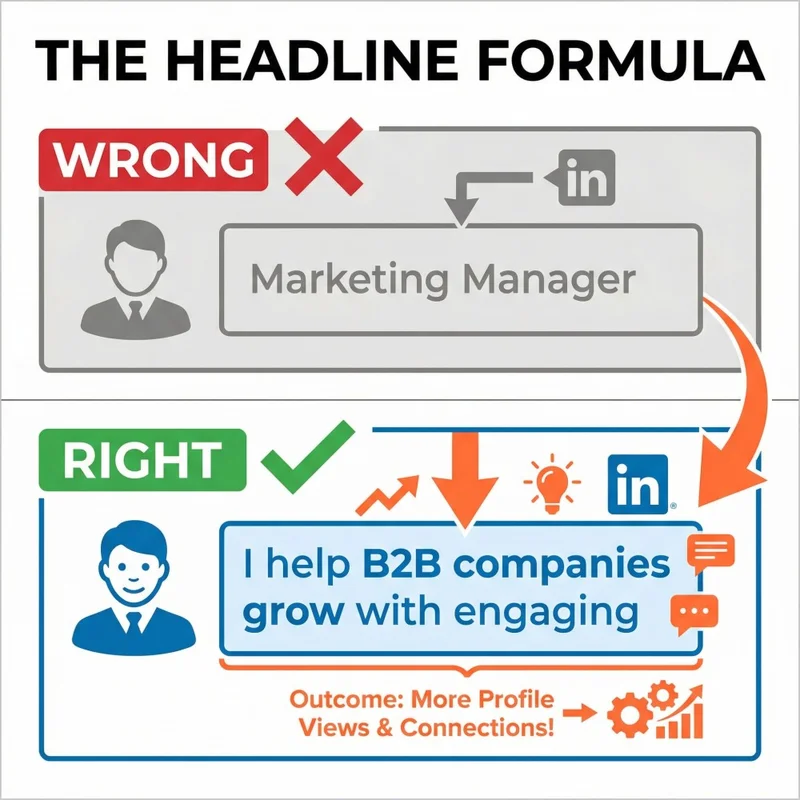
The problem: Most people just write their job title.
"Marketing Manager at Company X" tells me nothing about the value you provide.
The formula that works:
[What You Do] | [Who You Help] [Achieve What Result]
Examples:
Instead of: "Sales Director at TechCorp"
Write: "Helping B2B SaaS companies close 40% more deals | Sales Director at TechCorp"
Instead of: "Founder & CEO"
Write: "Building tools that help creators monetize | Founder at CreatorLab"
Instead of: "Marketing Consultant"
Write: "I help service businesses get clients without ads | Marketing Consultant"
Key principles:
- Lead with value, not title
- Be specific about who you help
- Include keywords recruiters search for
- Use all 220 characters - don't waste them
4. About Section: Your Story in 275 Characters
Here's what most people miss: only the first 265-275 characters display before "see more."
That opening line is everything.
The 7-step structure:
- Hook - A bold statement or question that demands attention
- Your role - What you do and who you help
- Achievements - Specific numbers that prove your impact
- Value proposition - The problem you solve
- Personality - Something human that differentiates you
- Specialties - Keywords for search visibility
- Call-to-action - What should they do next?
Length: 200-300 words (1,000-1,500 characters)
Tone: Write in first person. "I help..." not "John is a professional who..."
What to avoid:
- "Passionate thought leader" (everyone says this)
- Buzzwords without substance
- Third-person corporate speak
- Wall of text with no formatting
The About section with the highest conversion rates read like a conversation, not a CV.
5. Featured Section: Your Proof
Profiles with Featured content get 30% longer viewing time. Strategic Featured sections can triple inbound messages within weeks.
Yet 80% of users leave it empty.
What you can feature:
- Posts and articles
- External links
- PDFs, presentations, videos
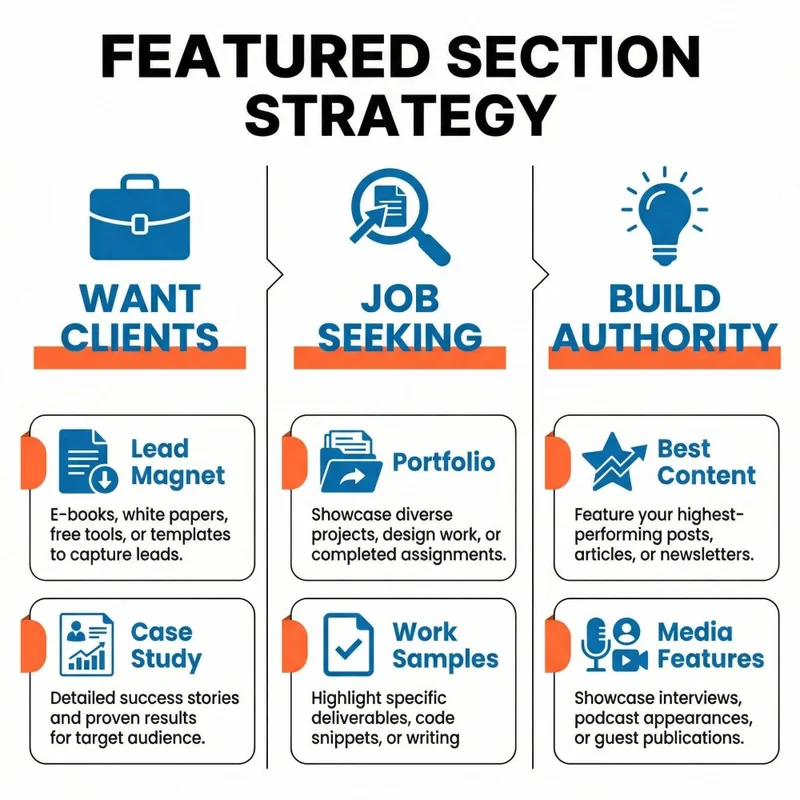
What to feature based on your goal:
If you want clients:
- Lead magnet (free guide, template, tool)
- Case study showing results
- Calendar booking link
If you're job seeking:
- Portfolio or personal website
- Best work samples
- Top-performing LinkedIn post
If you're building authority:
- Your best content piece
- Media features or podcast appearances
- Newsletter signup
Best practices:
- Custom thumbnails (1200 x 627 px)
- Benefit-driven titles, not generic descriptions
- Audit quarterly - keep it fresh
- Quality over quantity (3 strong items > 10 weak ones)
6. Experience: Impact, Not Tasks
Your experience section shouldn't read like a job description. It should tell the story of your impact.
The shift:
❌ "Managed social media accounts"
✅ "Grew social following by 340% and generated $50K in attributed revenue"
❌ "Responsible for sales team"
✅ "Built and led 8-person sales team that exceeded quota by 25% for 6 consecutive quarters"
How to write it:
- Start with action verbs: Led, Built, Increased, Delivered
- Include specific metrics whenever possible
- Add media: presentations, links, project screenshots
- List top 3-5 relevant skills for each role
Pro tip: LinkedIn now lets you group consecutive positions at the same company. Use this to show career progression without cluttering your profile.
7. Skills & Endorsements: Your Search Ranking
LinkedIn allows up to 50 skills. Most people add 5 and forget about them.
Here's why this matters: LinkedIn uses skills to rank profiles in search. More relevant skills (with endorsements) = higher visibility to recruiters.
The strategy:
- Add skills that appear in job descriptions you want
- Pin your top 3 most important skills
- Each skill needs at least 1 endorsement to count in search
- Request endorsements from colleagues, managers, mentors
Top skills that matter in 2026:
- AI Literacy
- Data Analysis
- Project Management
- Strategic Thinking
- Communication
But don't just copy this list. Analyze job postings in your target field. Add the skills that appear most frequently.
8. Custom URL: The Small Detail That Matters
Default LinkedIn URLs look like this:
linkedin.com/in/john-smith-123abc456
Professional URLs look like this:
linkedin.com/in/johnsmith
Why it matters:
- Looks more credible and professional
- Easier to share verbally and on business cards
- Better SEO - helps you rank in Google searches
How to do it:
- Go to your profile
- Click "Edit public profile & URL"
- Customize to your name (or close variation)
If your name is taken, try: firstname-lastname, firstnamelastname, or add a middle initial.
9. Recommendations: Social Proof That Converts
Recommendations are underutilized testimonials that build instant credibility.
Who to ask:
- Former managers
- Colleagues who saw your work directly
- Clients you delivered results for
- Mentors who know your growth
How to ask:
- Email or call first — don't use LinkedIn's generic request
- Be specific: "Would you be willing to write a recommendation about [specific project/skill]?"
- Make it easy: offer to draft bullet points they can use
- Reciprocate when appropriate
Pro tip: Give recommendations first. People naturally want to return the favor. This isn't just politeness — Robert Cialdini's research on the reciprocity norm shows we're psychologically compelled to return favors, making "give first" one of the most powerful influence principles.
The Uncomfortable Truth
Here it is: most profiles fail because they're written for the person who owns them, not for the person reading them.
Your profile isn't about you. It's about what you can do for others.
Every section should answer one question: "Why should I care?"
When you shift from "look at my credentials" to "here's how I can help you" - everything changes.
Sales teams who master this shift see real results. Learn how sales professionals use LinkedIn to warm accounts before outreach.
Your Action Items This Week
- Update your headline — Use the formula: what you do + who you help + what result
- Rewrite your About opening — Make the first 275 characters count
- Add 3 items to Featured — Showcase your best work
- Request 2 endorsements — For your most important skills
- Customize your URL — Takes 30 seconds
What's Next
In the next issue of LinkedIn Heroes, we'll break down how to write posts that actually get engagement - the exact structures, hooks, and formats that perform best in 2026.
Until then, treat your profile like a product. Keep improving it.
— LinkedIn Heroes Team
P.S. Found this valuable? Share it with someone who's struggling to get traction on LinkedIn. The best profiles are built together.
Written by
